
How do I point a domain name to hosting?
To point your domain name to website hosting, use one of the following methods:
Changing the list of DNS servers for the domain name
Connecting the domain name to hosting without modifying the list of DNS servers
Binding to Rucenter mail servers without changing DNS servers
Changing the list of DNS servers for the domain name
If the domain name is registered with another registrar:
You should change the list of DNS servers in your personal account on the website of the current domain registrar. Indicate the list of Rucenter's DNS servers for the domain:
ns3.nic.ru
ns4.nic.ru
ns8.nic.ru
DNS propagation can take up to 24 hours. The website will be unavailable during this period.
If the domain is registered with Rucenter:
1. Go to your Personal Account on the page www.nic.ru, indicating the agreement number and password.

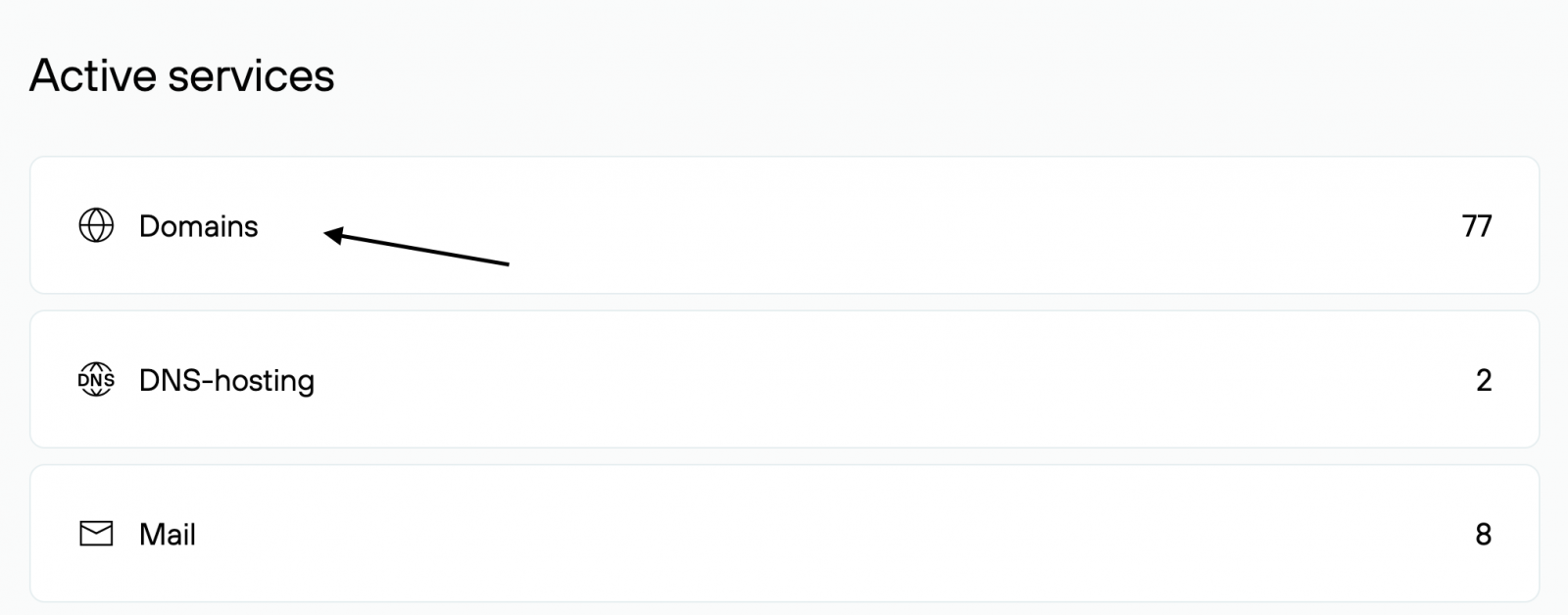
2. Choose the Active services → Domains.
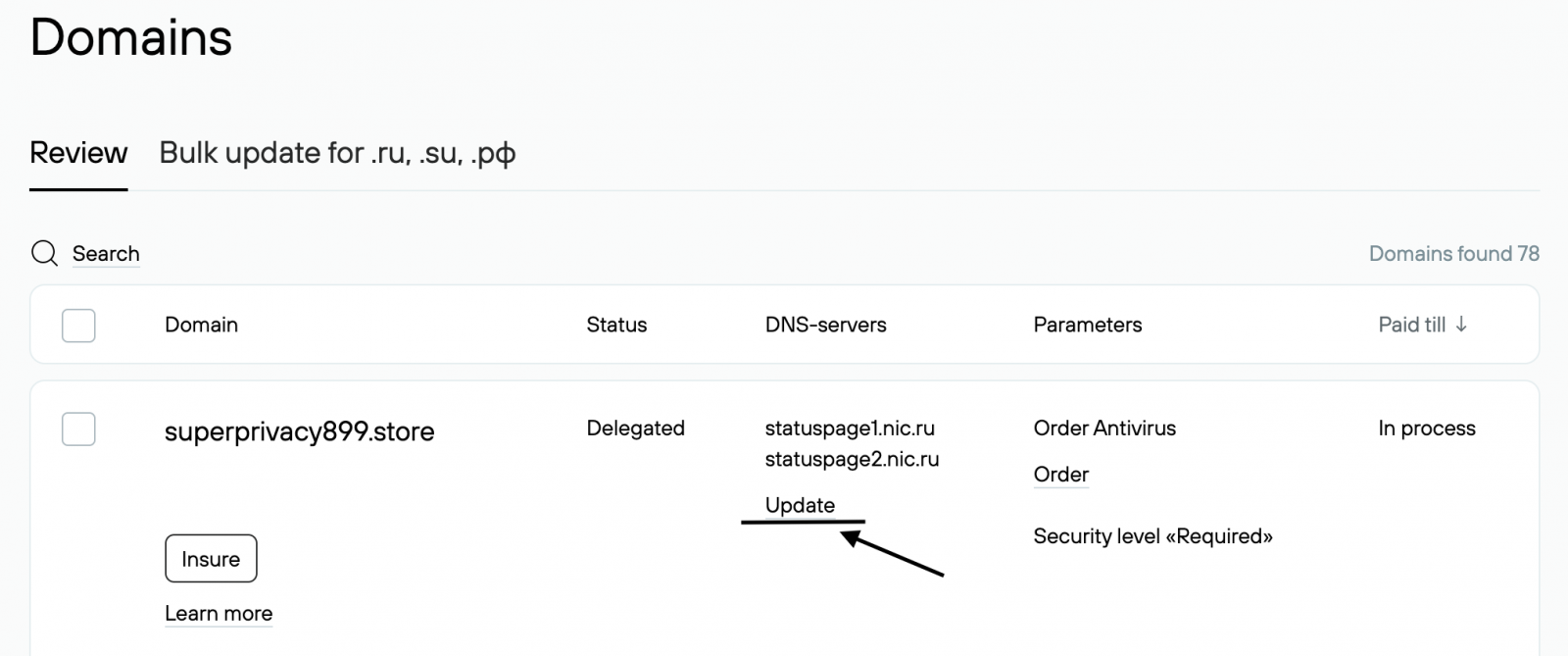
3. Click on the link Delegate or Update in the DNS-servers field.
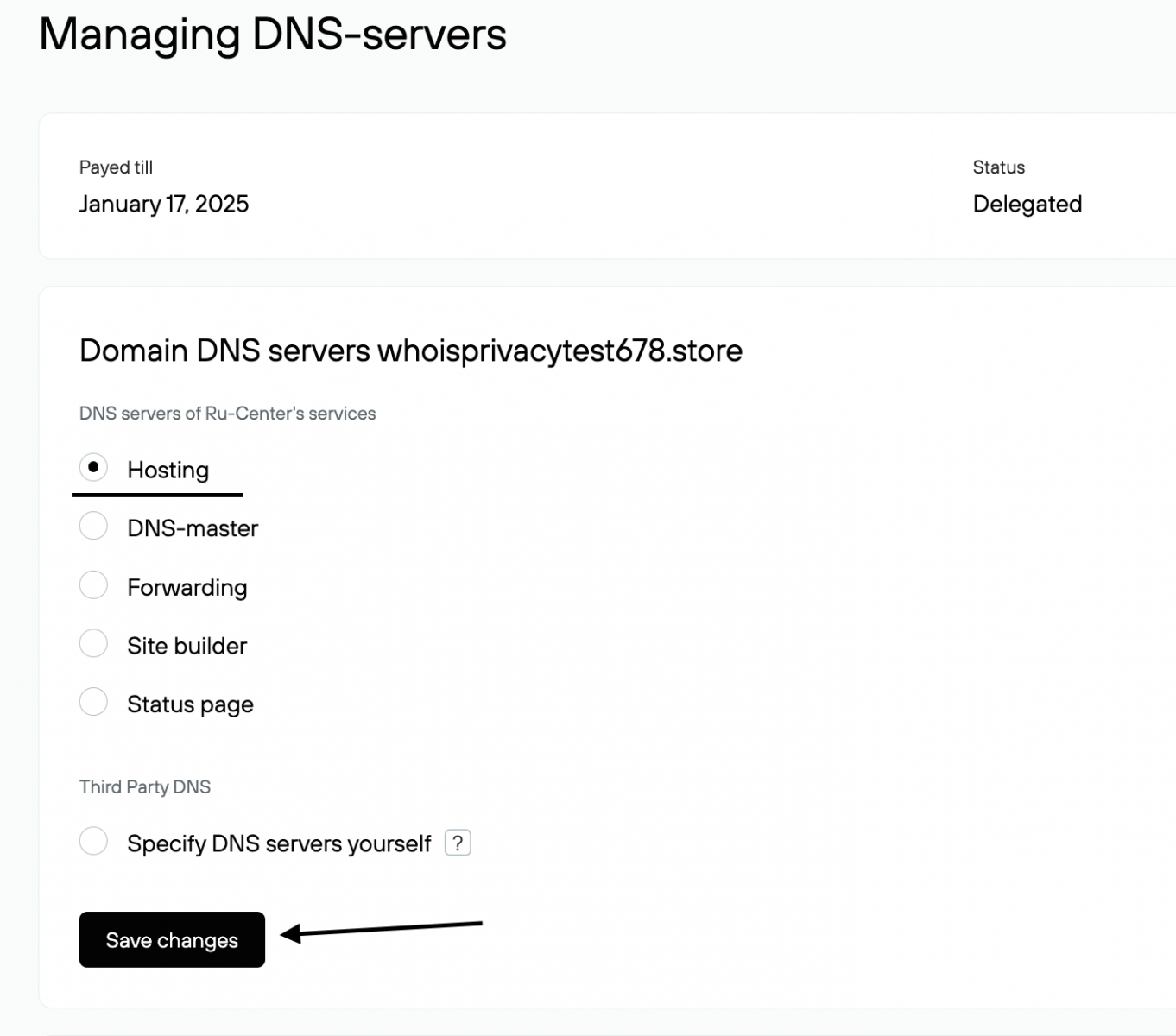
4. In the Use DNS from Rucenter services section choose Hosting and click on the Save changes button. DNS propagation can take up to 24 hours.
Connecting the domain name to hosting without modifying the list of DNS servers
Update the resource records (A, MX) on your DNS servers according to the list available in the hosting control panel — the «Hosting information» section.
Binding to Rucenter mail servers without changing DNS servers
To configure your domain to use Rucenter mail servers without changing the current DNS servers, follow these steps:
- Contact the provider that manages your DNS and ask where to add DNS records.
- To ensure correct operation of Rucenter mail servers, add the following records to the DNS zone you clarified earlier:
|
Name |
Record type |
Meaning |
Priority |
|
@ |
MX |
MX02.NICMAIL.RU. |
5 |
|
@ |
MX |
MX01.NICMAIL.RU. |
10 |
|
@ |
MX |
MX03.NICMAIL.RU. |
20 |
|
@ |
TXT |
v=spf1 include:dc1.nicmail.ru include:dc2.nicmail.ru ?all |
- To improve the security of your mail, we recommend setting up DKIM and DMARC using the instructions.
- Wait for the DNS zone to update. Please note that in rare cases the update may take up to 24 hours.