
Choosing a PHP Version and Managing Extensions
Rucenter hosting currently supports PHP interpreter versions 5.2 – 5.6, 7.0 – 7.4, and 8.0 – 8.4.
1. Choosing a PHP Module Version.
2. Managing PHP extensions and parameters.
3. Viewing detailed PHP configuration information.
4. Using “Multisite” and the MultiPHP function.
1. Choosing a PHP Module Version
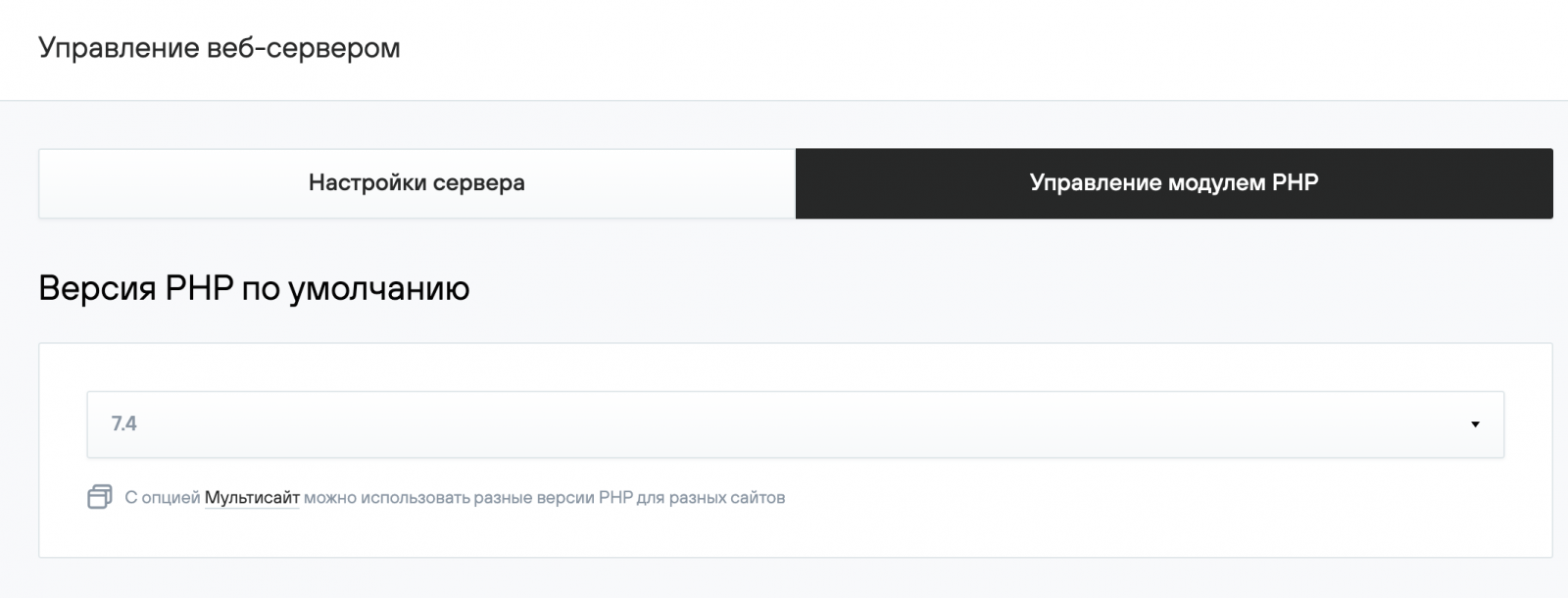
PHP module management is available in the Web Server Management (Управление веб-сервером) — PHP Module Management section (Управление PHP модулем) of the hosting control panel.
The list of available PHP versions can also be found in the Web Server Management (Управление веб-сервером) — PHP Module Management section (Управление PHP модулем). To enable the version that meets your website’s requirements, simply select it from the drop-down list and click Apply. Once the required PHP version is activated, you can proceed with configuration.
By default, the selected PHP version is applied to all websites hosted under your service. The only exception is websites where a dedicated PHP version has been assigned using the Multisite option.
2. Managing PHP extensions and parameters
Below the default PHP version selector, you will find a module for choosing a configurable PHP version and a list of connected extensions.
To enable an extension:
- In the Extensions (Расширения) block, click Manage Extensions (Управление расширениями).
- In the list that opens, find the required extension, check the box next to it, and save your changes.

3. Viewing detailed PHP configuration information
Only extensions that can be disabled are displayed in the control panel. To get the full list of extensions and parameters, use the phpinfo() function:
- Create a file named info.php in your site’s docs directory with the following content:
<?

phpinfo();

?>
- Access this script in your browser at: http://your_domain/info.php. This will display detailed information about the PHP module.
Documentation for php.ini parameters is available on the official website: http://php.net.
The PHP version displayed in the console corresponds to the one most recently modified. For example, if a dedicated version was enabled for a particular site, the output will show that version.
4. Using “Multisite” and the MultiPHP function
Multisite is a bundled option that provides additional resources for your hosting service:
+ 10 websites
+ 512 MB RAM
+ MultiPHP
MultiPHP is an advanced PHP management feature that allows you to assign a different PHP version to each website.
To change the PHP version for a site, go to: Sites (Сайты) — domain.ru — Settings (Настройки) — PHP Version (Версия PHP).
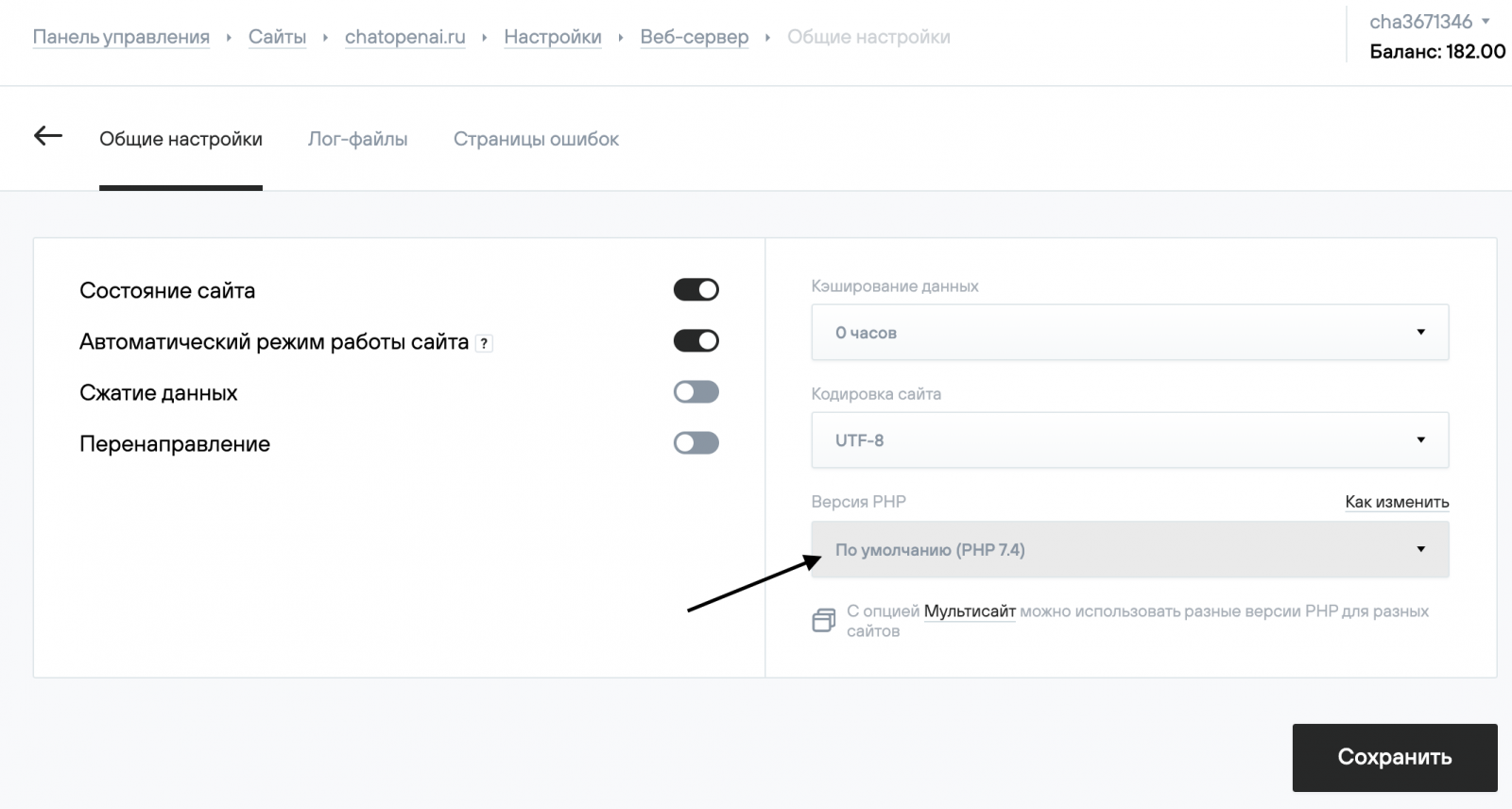
The selected version will remain in effect until changed in this section or reset to the default version, even if the Multisite option is later disabled.
Legacy virtual hosting plans (ordered before 03.12.2020) include built-in MultiPHP functionality and support multiple websites. For these plans, the Multisite option is not available.
If you need more resources, we recommend switching to a current plan.