
CRON Scheduler — Running Programs on a Schedule
1. What is cron?
2. Managing scheduled tasks via the control panel
3. Examples of task configuration
3.1. Running PHP scripts
3.2. Running PHP scripts with parameters
3.3. Running shell scripts
4. Examples of scheduling execution time
5. Managing task status
6. How to use a specific PHP version
1. What is cron?
Cron task scheduler allows you to execute commands on the hosting server according to a set schedule.
Scheduler management is available in the Task Scheduler (Планировщик задач) section of the hosting control panel.
Features of the hosting task scheduler:
- The minimum task execution interval is 1 minute.
- Data from standard output streams (stdout) and error streams (stderr) are redirected to the “null” device (/dev/null).
2. Managing scheduled tasks through the control panel
To create a new task:
1. Log in to the hosting control panel using your contract number and password.
2. Go to the Task Scheduler (Планировщик задач) section.
3. Click the Create Task (Создать задачу) button in the upper-right corner.

4. On the next page, enter a task name.
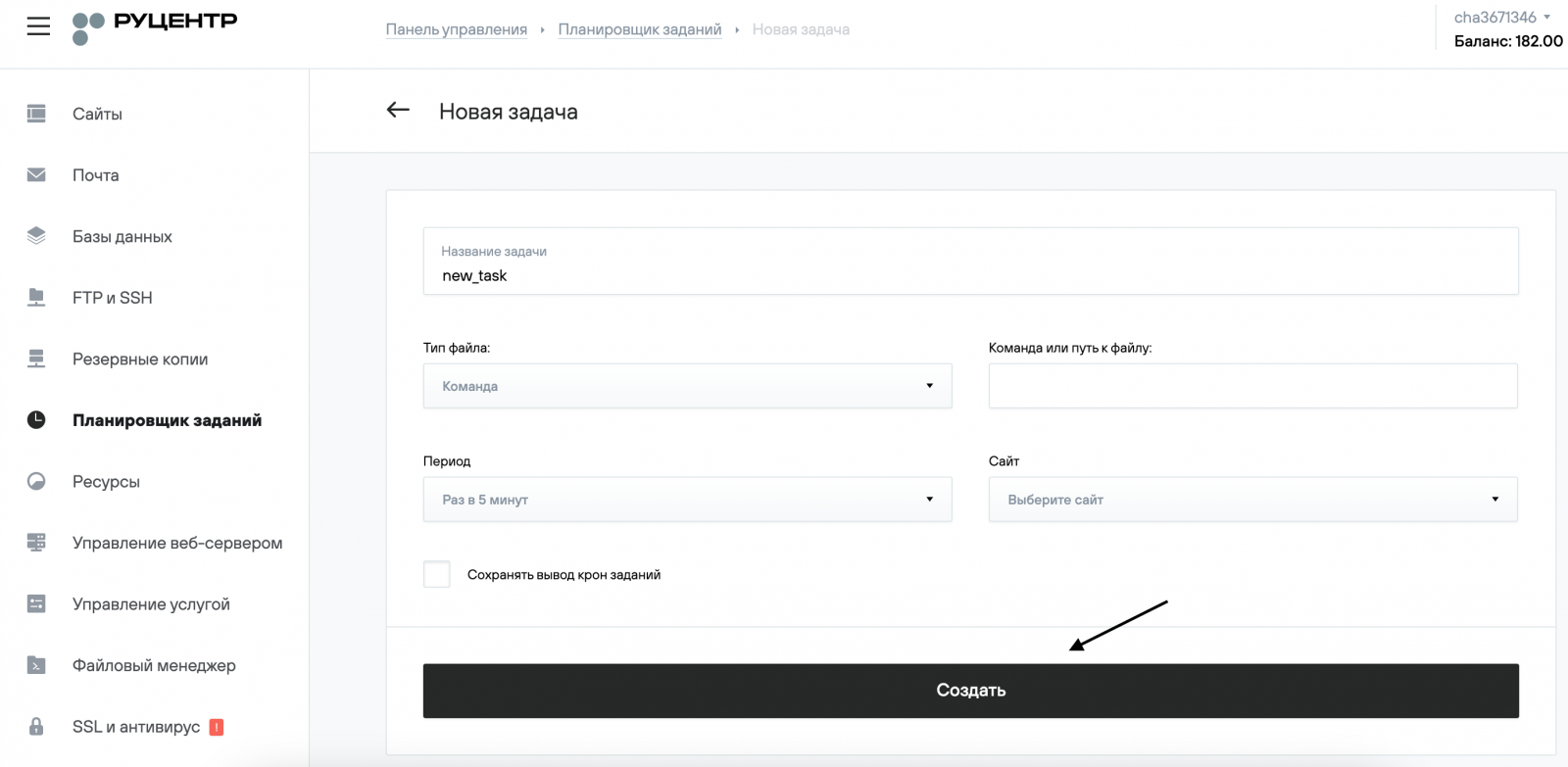
5. Set the time when the task should run. (Examples are provided in section 4 of this guide.)
.png)
6. In the File Type field, select Command. If necessary, you may choose another type.
.png)
7. Select the site for which the task will be executed, if needed.
.png)
8. Fill in the File Path or Command field and click Create.
3. Examples of Command Configuration
3.1. Running PHP scripts
To run a PHP script, you can use the following command:
cd $HOME/site_folder/docs/script_folder/ && php $HOME/site_folder/docs/script_folder/script_name.php
Here:
- cd $HOME/site_folder/docs/script_folder/ — changes the directory to where the script is located
- php — PHP interpreter
- $HOME/site_folder/docs/script_folder/script_name.php — full path to the script
3.2. Running PHP scripts with parameters
wget -O - -q "http://nic.ru/cron.php?var1=xxx&var2=yyy"
Here:
- wget — path to the wget program
- http://nic.ru/cron.php?var1=xxx&var2=yyy — script URL with parameters
3.3. Running shell scripts
To run a shell script, simply specify the full path to the script as the command:
/home/identifier/scripts/test.sh
The script file must have execution permissions.
4. Examples of scheduling execution time
Run a task once a day
- Hour: from 0 to 23
- Minute: from 0 to 59
.png)
Run a task once a week
- Day of the week: from 1 (Monday) to 7 (Sunday)
.png)
Run a task once a month
- Day of the month: from 1 to 31
.png)
5. Managing task status
To disable a task, deactivate the slider in the Status (Статус) field.

To delete a task, go to its settings and click Delete (Удалить).
6. How to use a specific PHP version
If you need to use a specific PHP version in cron, specify it directly in the command instead of the short alias php:
Example for PHP 7.3:
/usr/local/php73/bin/php
Example for PHP 7.4
/usr/local/php74/bin/php
Example for PHP 8.0
/usr/local/php80/bin/php
Example for PHP 8.1
/usr/local/php81/bin/php