
Disk space management
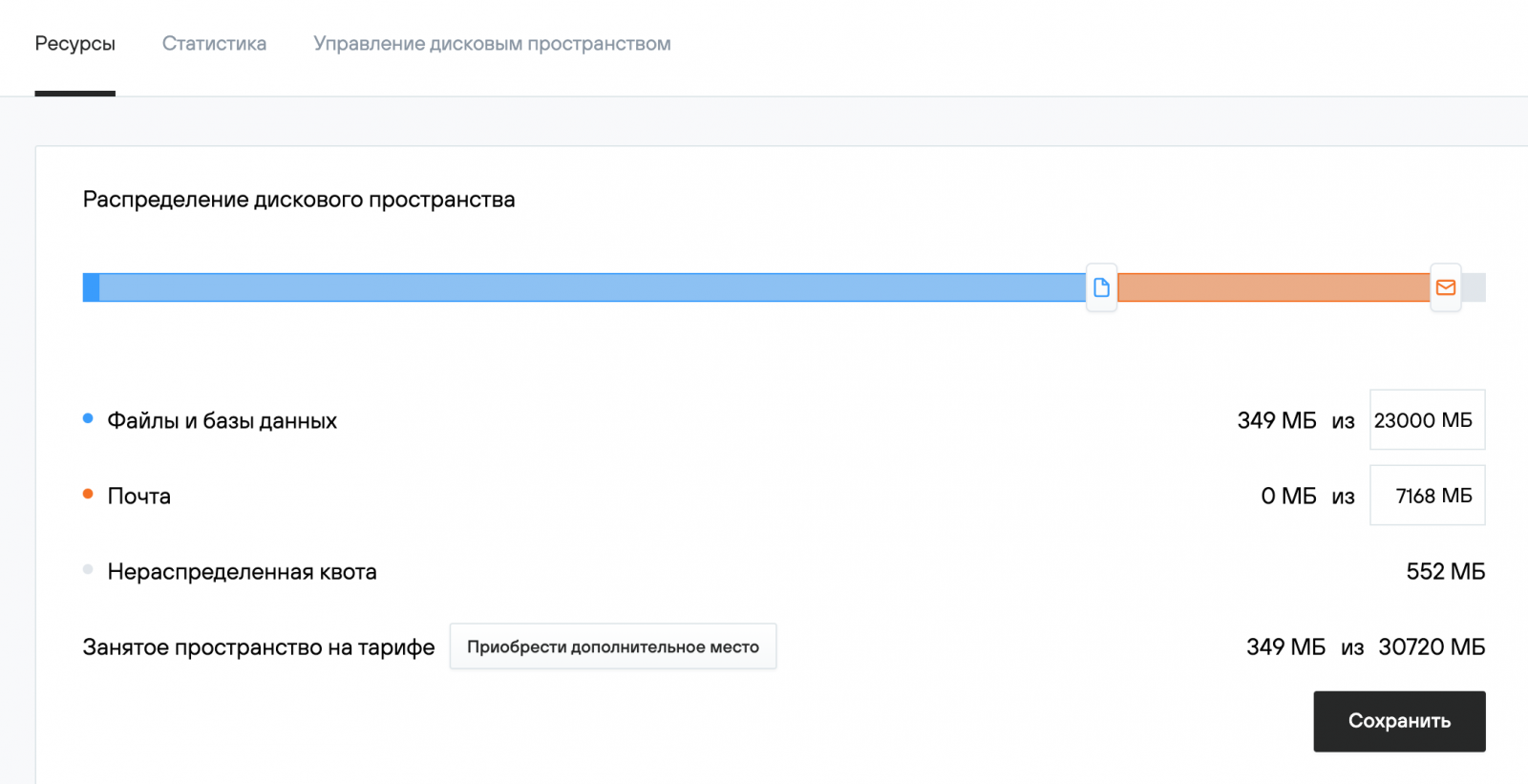
On all virtual hosting plans, you can manage the disk space allocated for websites and email.
- Go to the Resources (Ресурсы) section of the hosting control panel to view usage details and redistribute disk space.
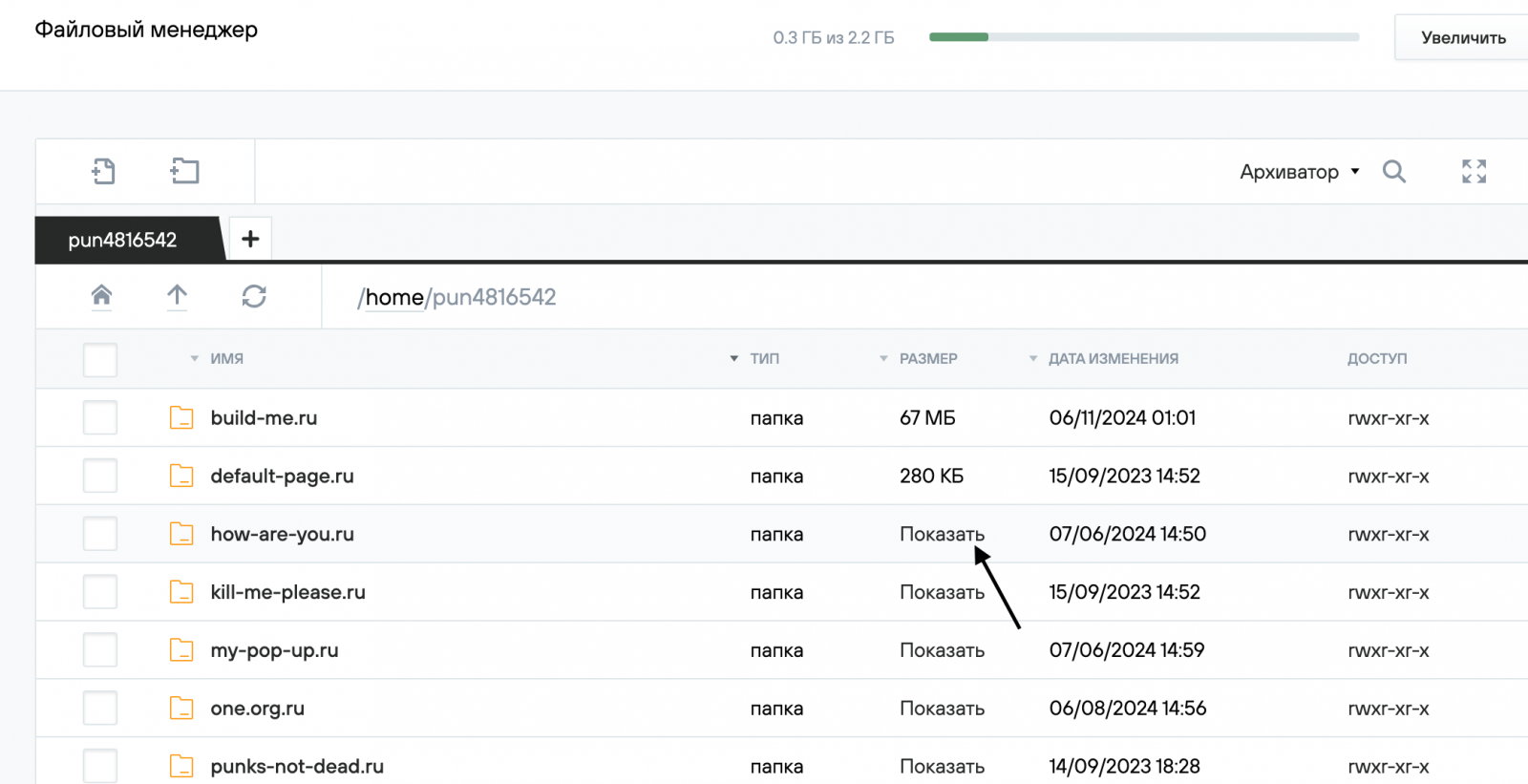
- You can check the space occupied by specific folders or files in the File Manager (Файловый менеджер) section by clicking the Show (Показать) link in the Size (Размер) column. You can also delete unnecessary files and folders here.
- If you deleted web server log files, restart the web server via the Web Server Management (Управление веб-сервером) section for accurate disk usage calculation.
- To see detailed information about disk space used by mailboxes, go to Mail (Почта) — Mail_Domain (Почтовый домен).
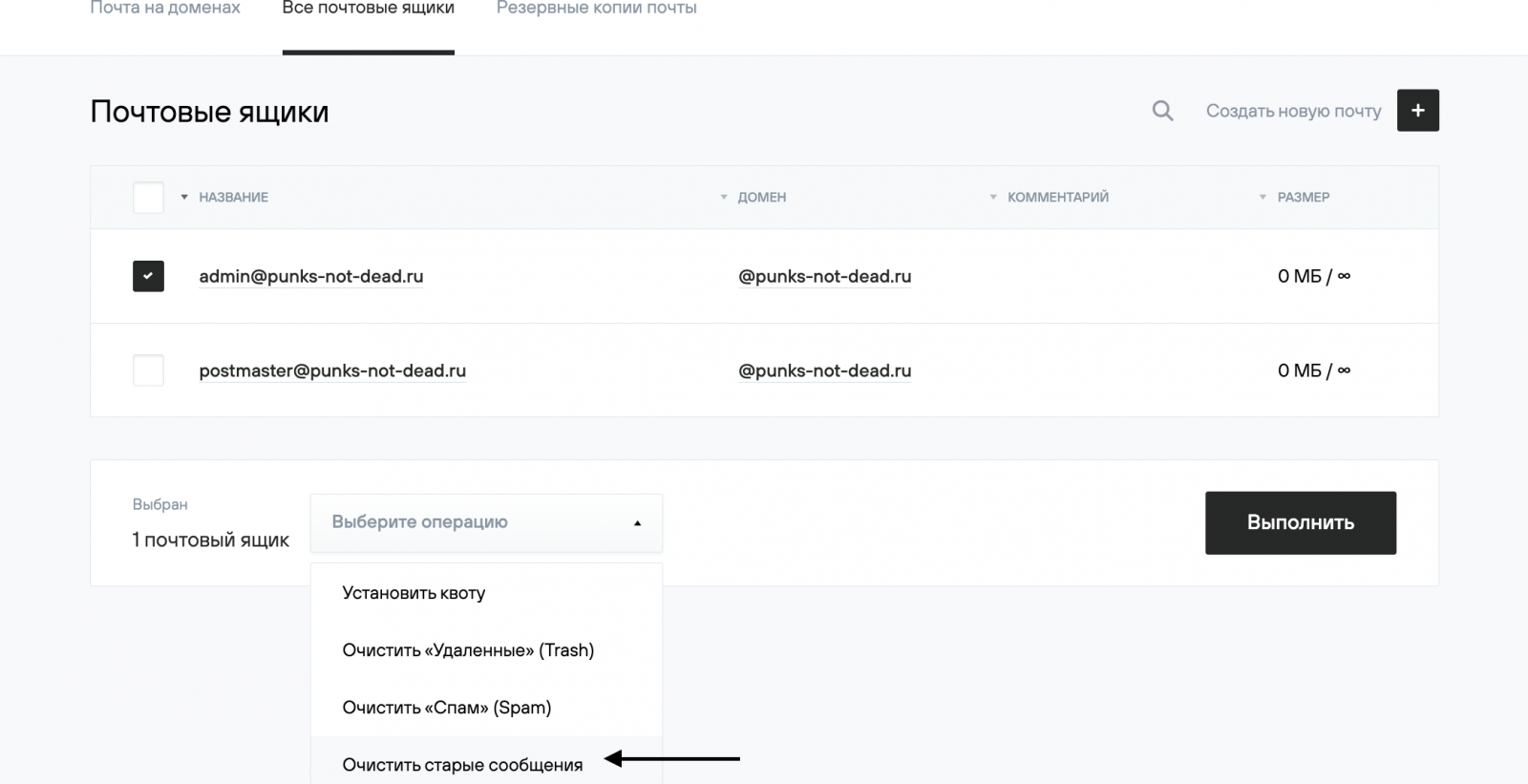
- To clean up old emails from domain mailboxes, go to Mail (Почта) — Mail_Domain (Почтовый домен). Select the mailboxes, choose the desired bulk operation from the list below, and click Execute (Выполнить).
- If disk space is insufficient on your hosting, you can change your price plan.