Email restoration from a backup copy
Нow email backup works
Email backups are performed daily at night, in accordance with your plan's backup policy, as well as when an email domain or mailbox is deleted. The storage time for backups does not vary regardless of the reason and method of their creation.
If the entire email domain has been deleted, its settings, global filters, and synonyms are also saved.
How to restore emails from a backup
Restoration of a website backup copy (files and databases) is made in the Backup (Резервные копии) section of the hosting control panel.
To restore your emails, go to the Backups/Email section (Резервные копии/Почта).
After selecting the desired date, you will see the backups, their creation times, and the email domain.
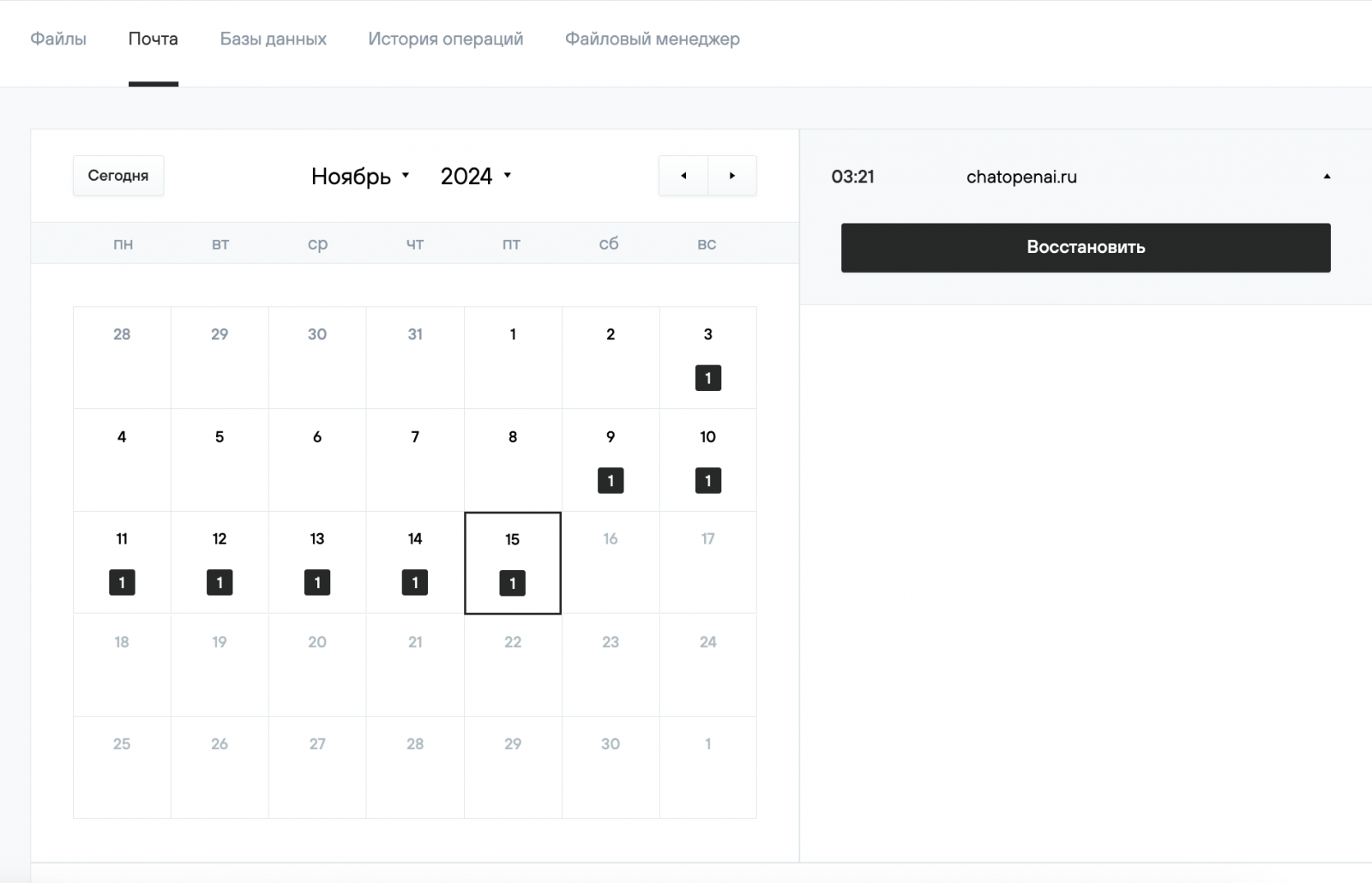
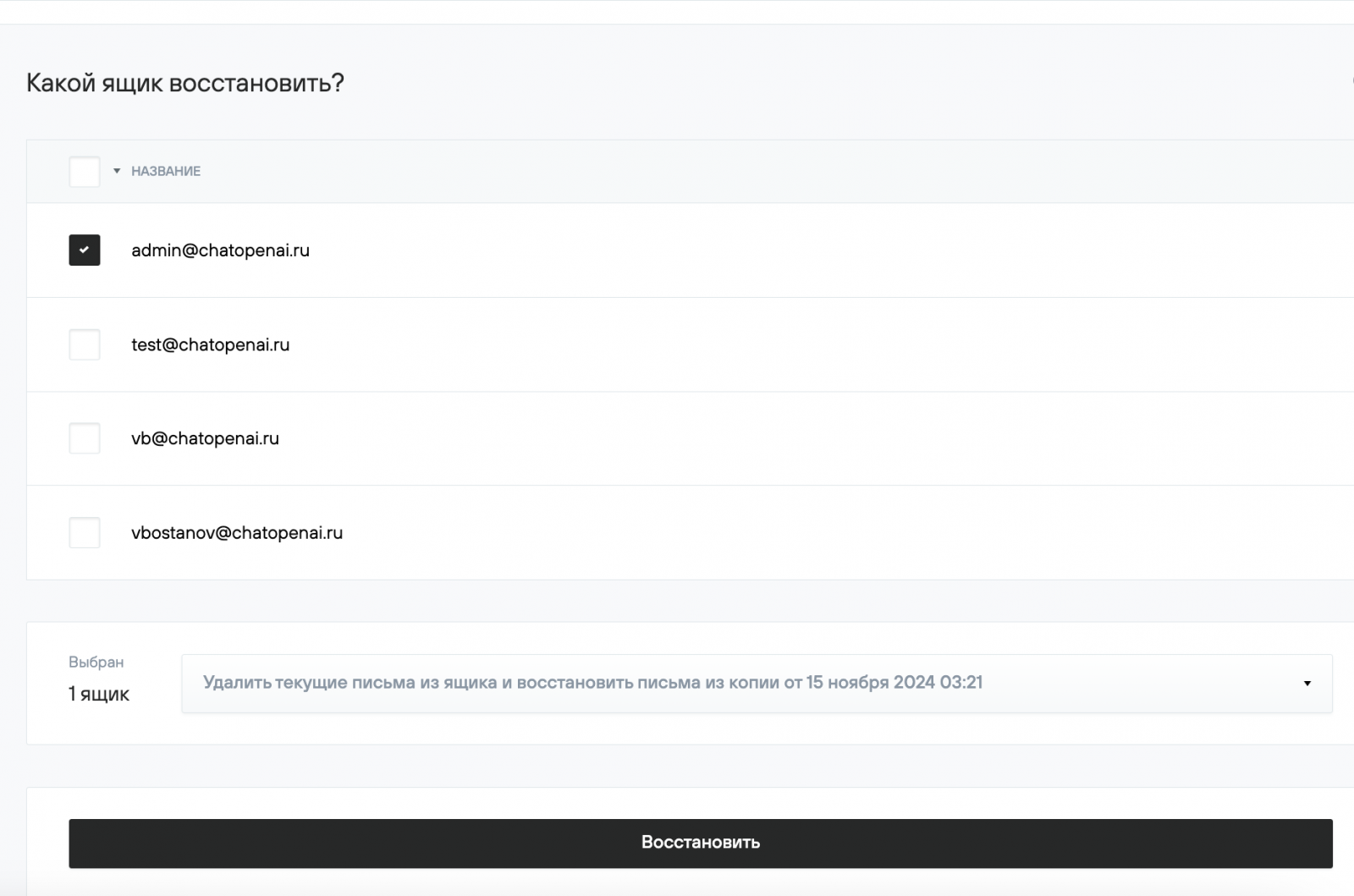
By clicking the Restore (Восстановить) button, you will be directed to a page where you can select the mailboxes and restoration method.
There are two restoration methods to choose from:
- Restore only emails that are missing from the mailbox at the relevant time.
- Delete all current emails from the mailbox and restore emails from the backup.
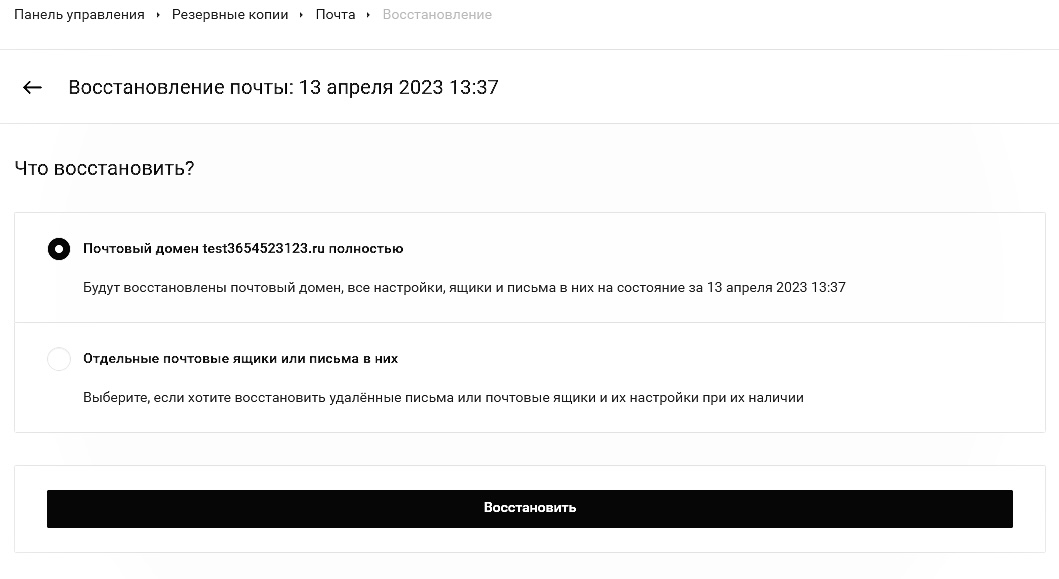
For backups containing email domain settings, after clicking Restore, you will be offered to restore the entire email domain, with settings, or only individual mailboxes or emails in them.