
How to Subscribe to Domain Transit Administration
Subscribing to the Service
1. Sign in to your Profile.
If you have domains for which the Domain Transit Administration service can be enabled, you will see a banner. Click Learn more (Подробнее).
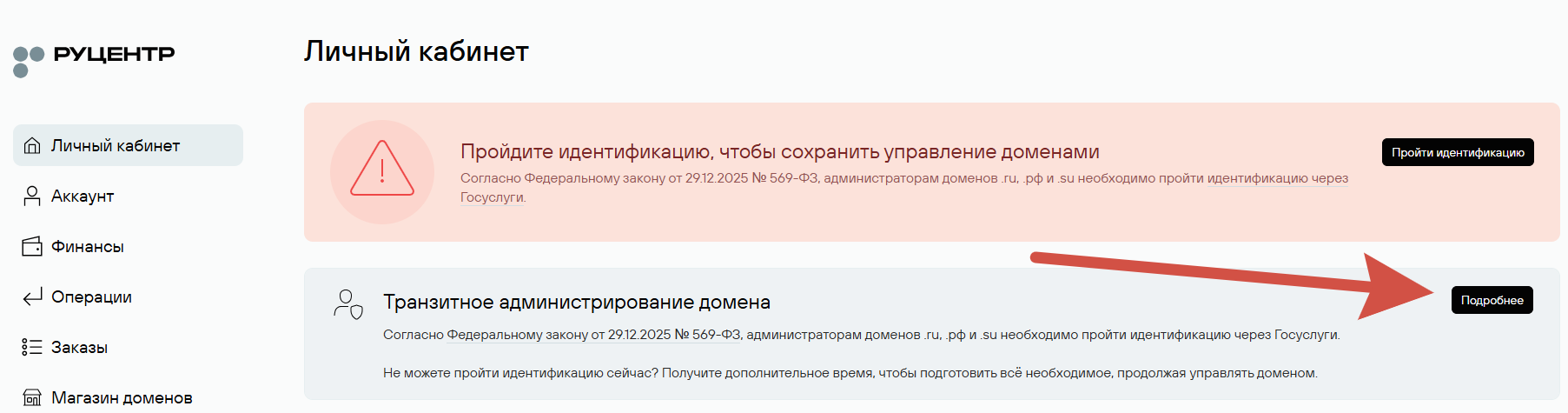
2. Go to the Domain Transit Administration section.
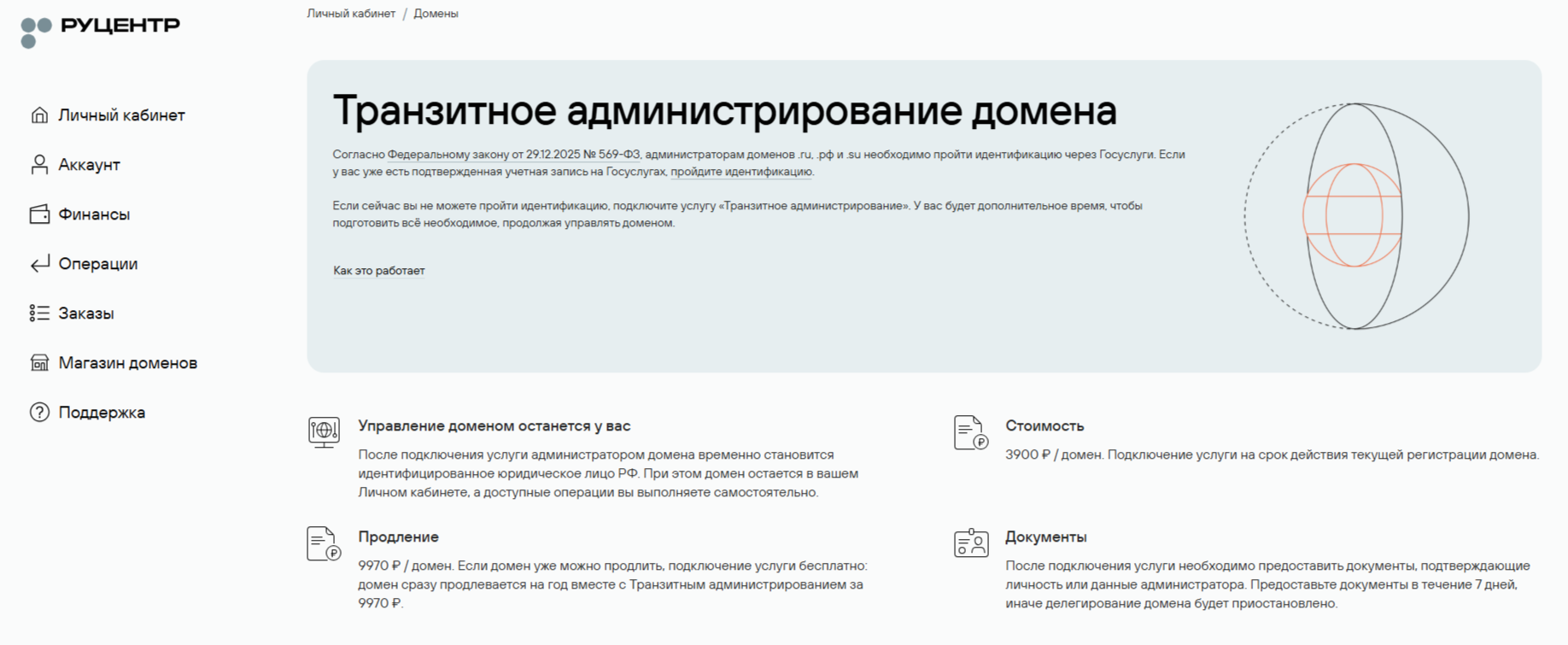
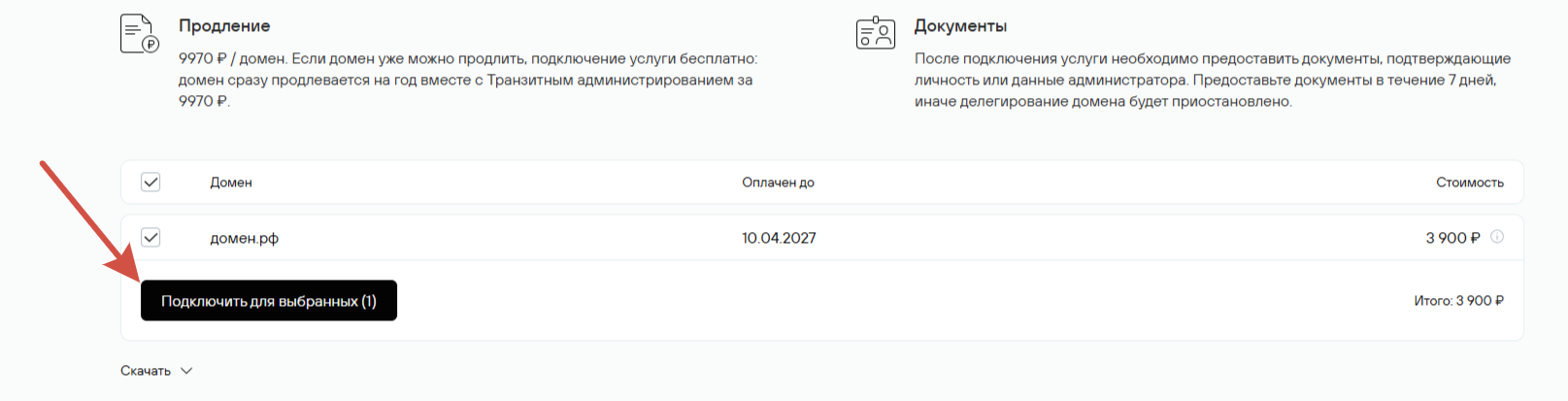
Domains eligible for the Domain Transit Administration service are displayed below the information block. Select the domains and click the «Enable for selected» (Подключить для выбранных) button.
3. Select a plan for the domain and confirm payment.
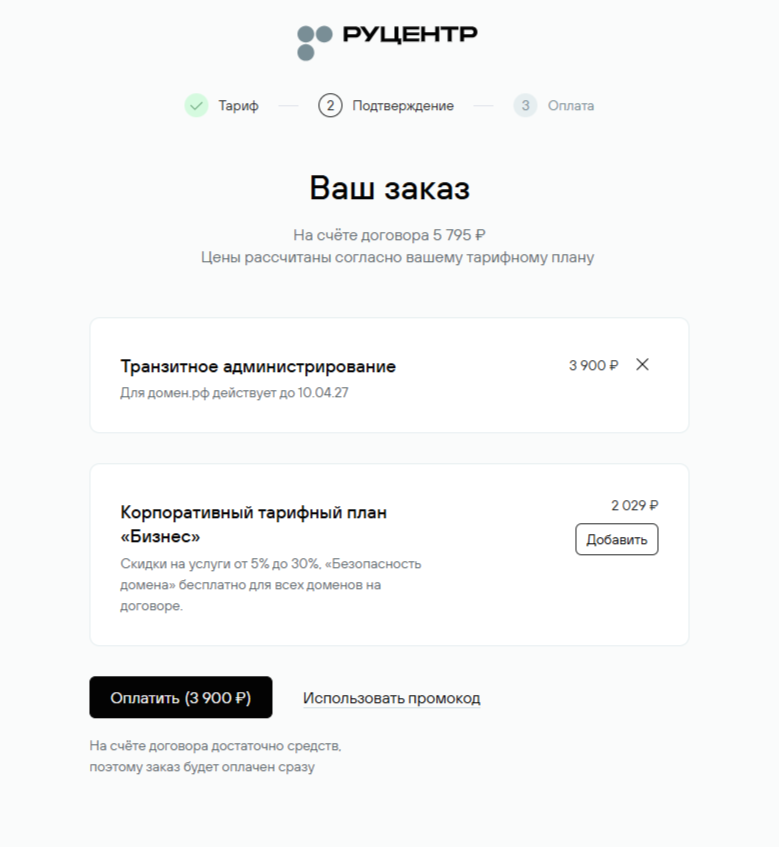
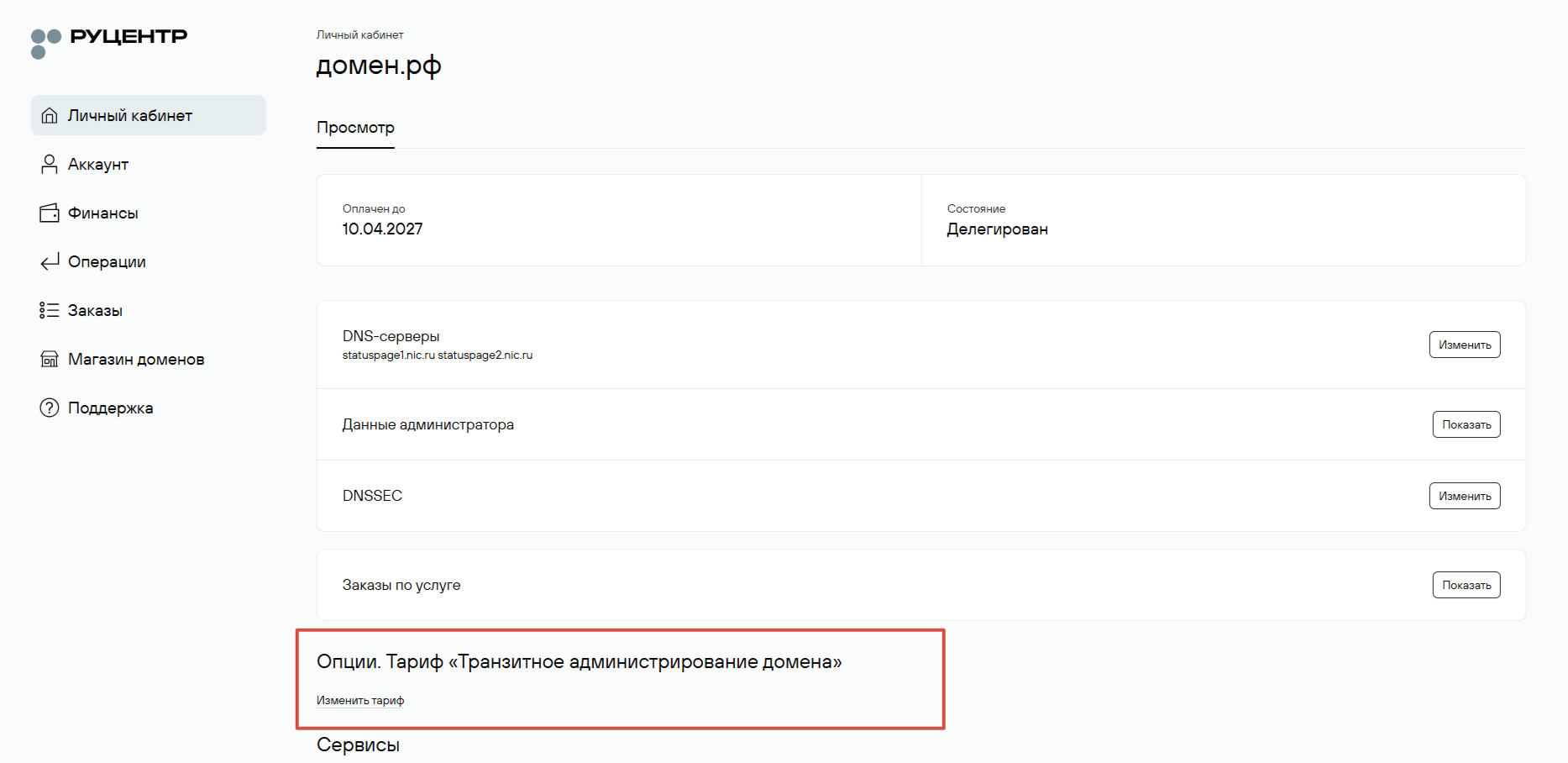
4. After paying for the service, the Domain Transit Administration option will appear on the domain management page.
Term
The service is activated separately for each domain and remains active until the end of the domain's current registration period.
What Documents Are Required
Within 7 days after subscribing to the service, provide documents confirming your identity.
For individuals:
- a copy of your passport or another identity document.
For individual entrepreneurs:
- a copy of your passport or another identity document;
- a certificate of state registration of an individual as an individual entrepreneur;
- a USRIE extract confirming the registration entry or a notification of an individual's registration for tax purposes as an individual entrepreneur.
For legal entities:
- a copy of the legal entity registration certificate (including its Primary State Registration Number, OGRN).
You can upload a copy of the required document using the appropriate form in your Profile under Account → Agreement → Agreement Details → Identification → Identification by Documents. If you have not completed identification before, the menu that opens will allow you to upload a file. After selecting the file, click Submit. You can also send the documents to the Support Service using the request form.
Additional documents:
Rucenter may request notarization or an apostille for the documents. In certain cases, additional documents may be required.
If You Do Not Provide the Documents
If you do not provide the documents within 7 days, domain delegation will be suspended until the documents are received.