
How do I change my hosting plan?
Plan changes are only possible within the same type of hosting:
Virtual/CMS
How do I upgrade to a higher plan?
You can upgrade to a higher Shared Hosting plan at any time during the current plan period. To do this:
-
Sign in to your profile using your agreement number and password.

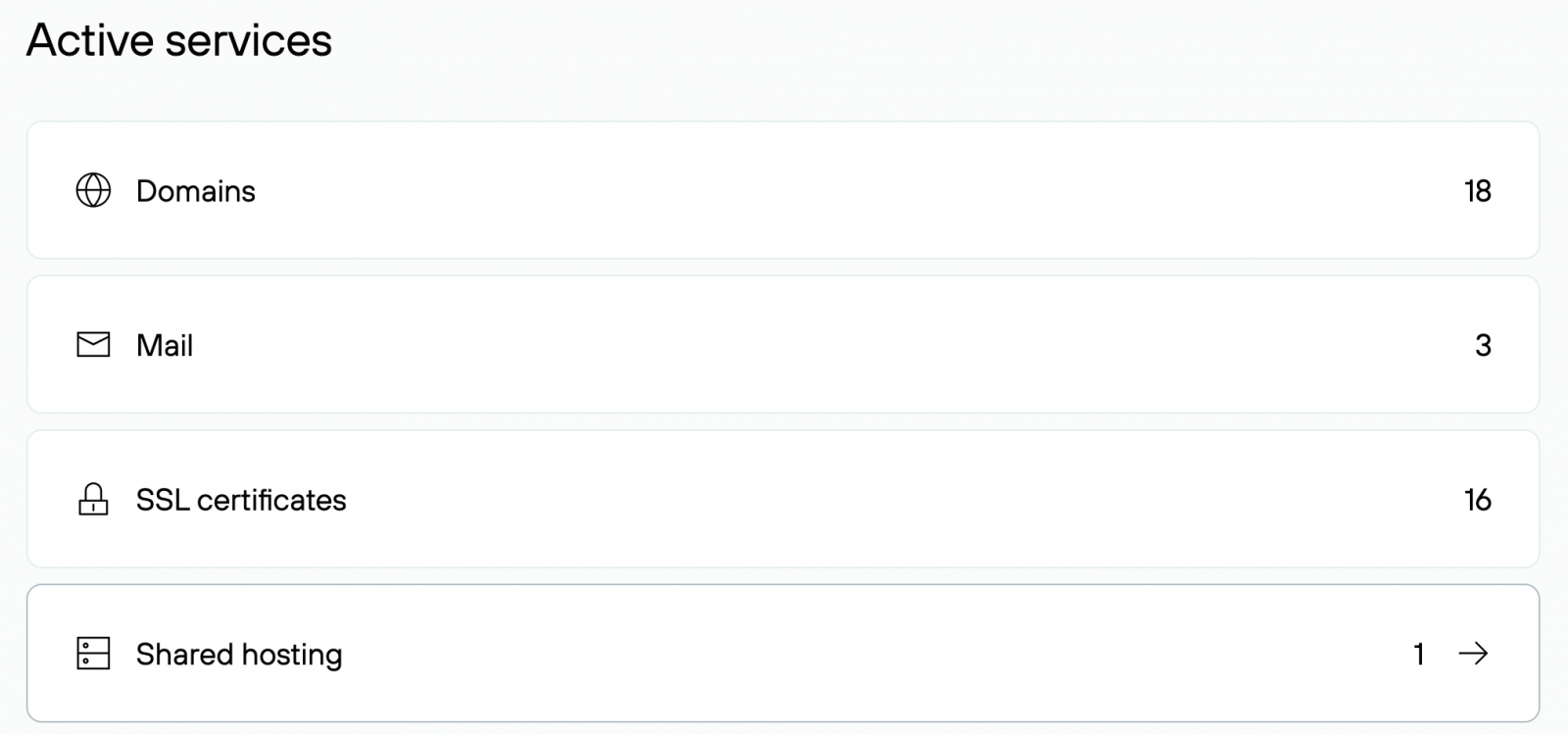
- Select Active Services → Shared Hosting.
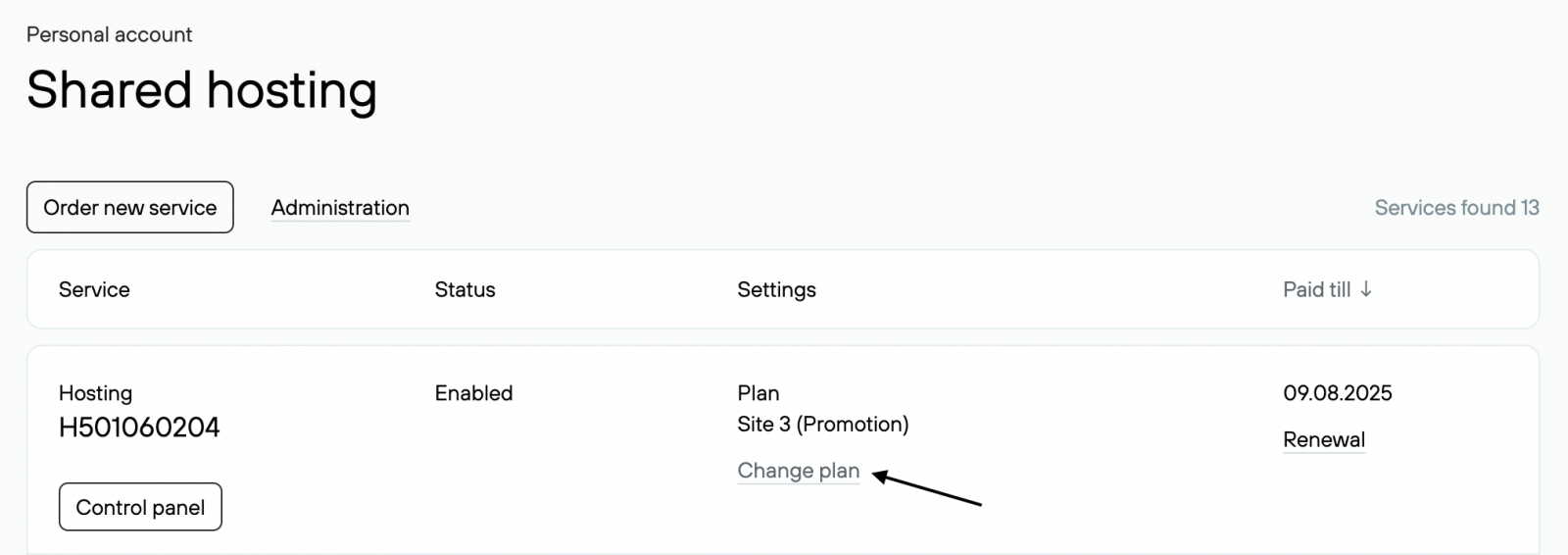
- In the Parameters column, click the Change Plan link.
- On the page that opens, choose a plan from the drop-down menu.

- Select the desired options. More about the Multisite and Advanced Backup options.
Then click the Show Plan Change Cost link to see the price of the service. The service end date does not change when switching plans. You pay only the difference between plans for the remaining days of use.
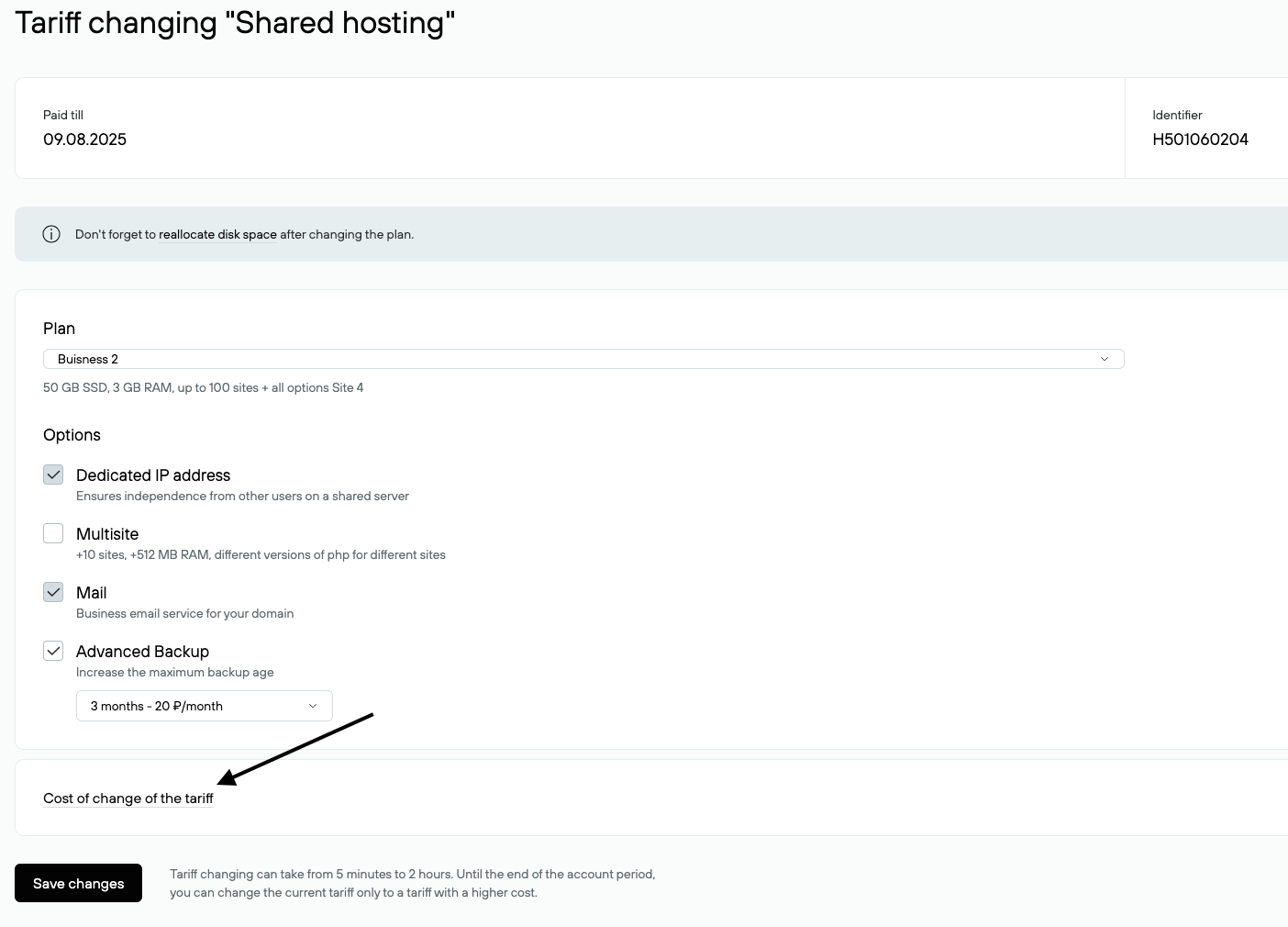
- Click Save Changes. The plan will change within an hour if there are sufficient funds in your account.
How do I downgrade to a lower plan?
You can only downgrade to a lower Virtual Hosting plan after your current plan expires. The ability to place an order for plan change appears no earlier than 60 days before the end date of the current service.
To place an order for downgrading:
- Go to www.nic.ru and sign in to your profile with your agreement number and password.
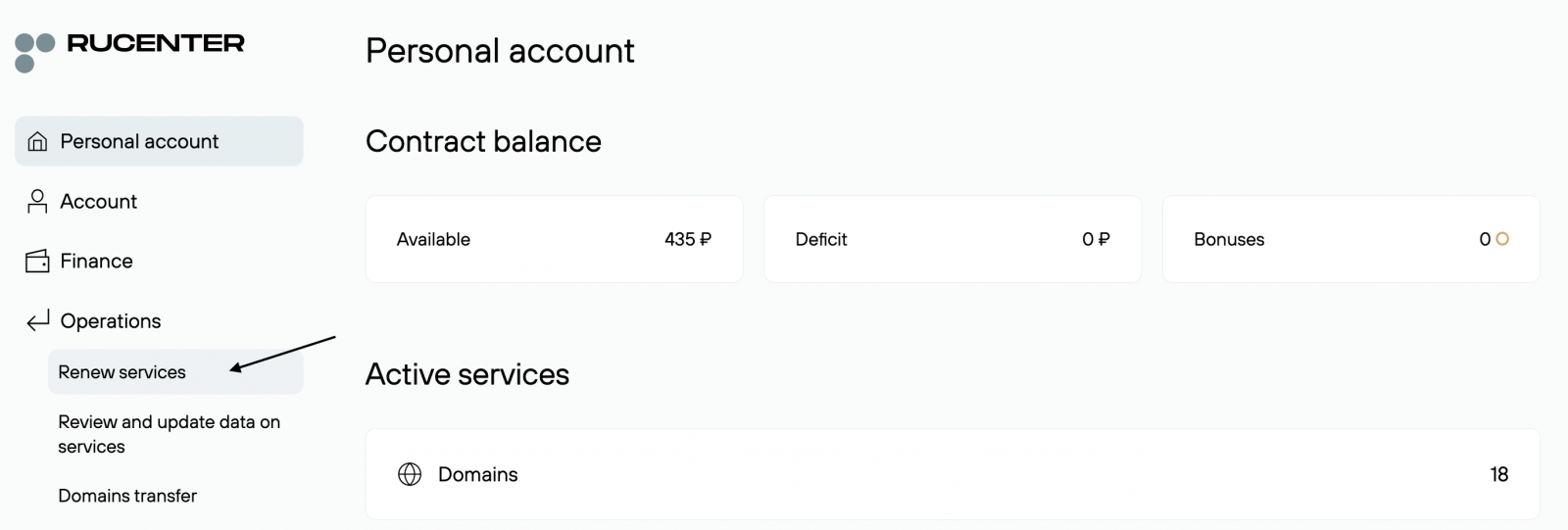
- Select Operations → Renew Services.
- On the next page, click the Parameters button.
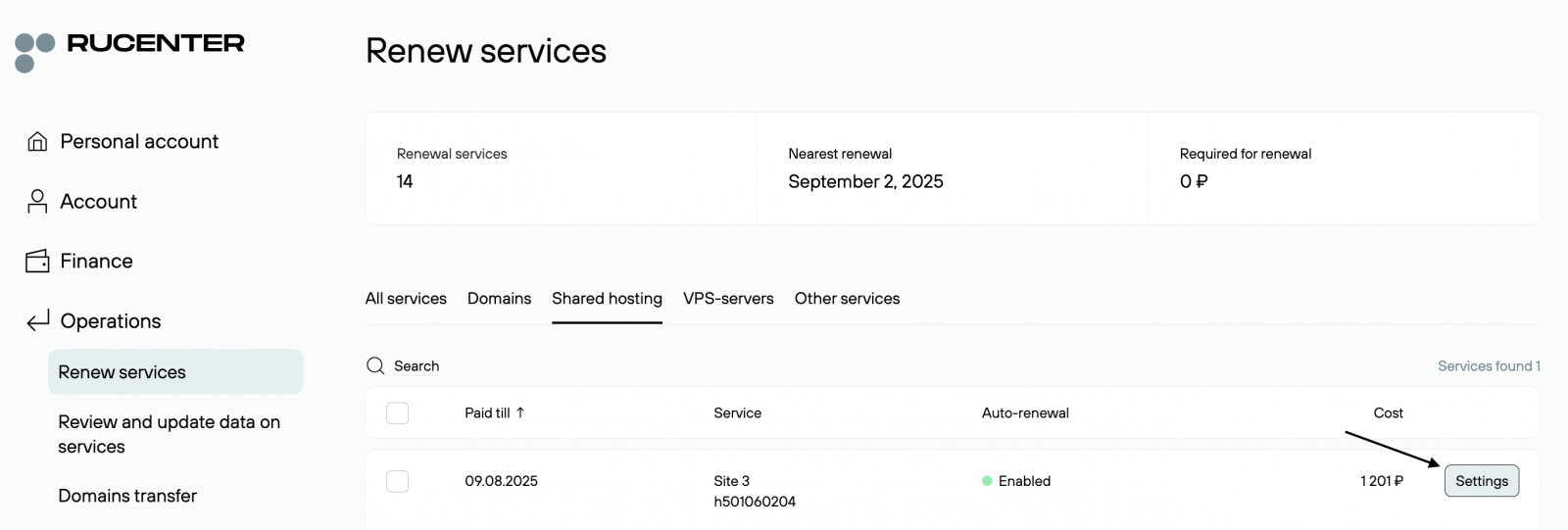
- In the Plan field, select the new plan from the drop-down list. Specify the renewal period for the new plan. The Total field will show the cost of the service.
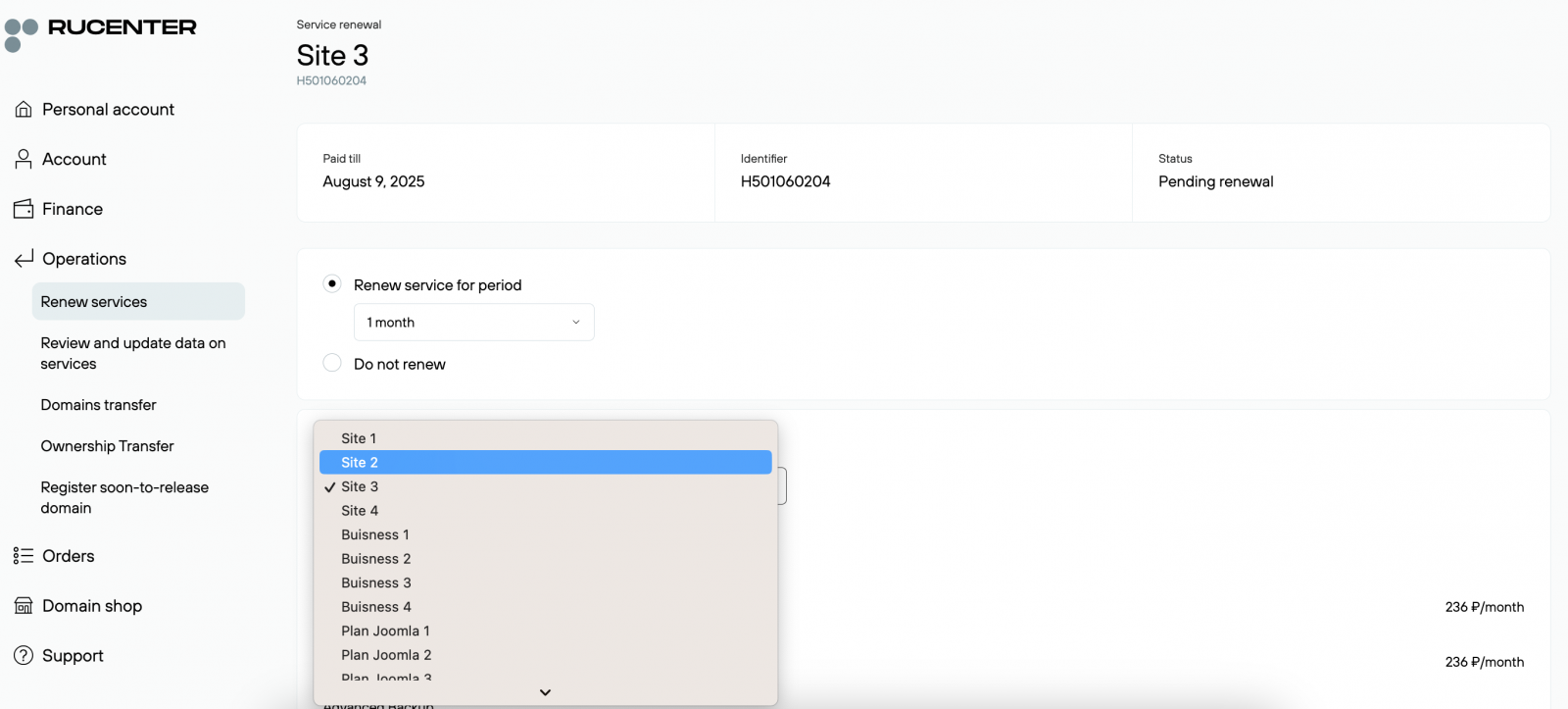
- Click Save Changes. The order will be processed if there are sufficient funds in your account.
|
Switching to the «Site 1» plan is not allowed due to the lack of PHP and database support, which may result in website inaccessibility. If you need to switch to the «Site 1» plan, please contact customer support. |
VDS
How do I upgrade to a higher plan?
You can upgrade to a higher VDS plan at any time during your current plan period. To do this:
- Go to www.nic.ru and sign in to your profile using your agreement number and password.
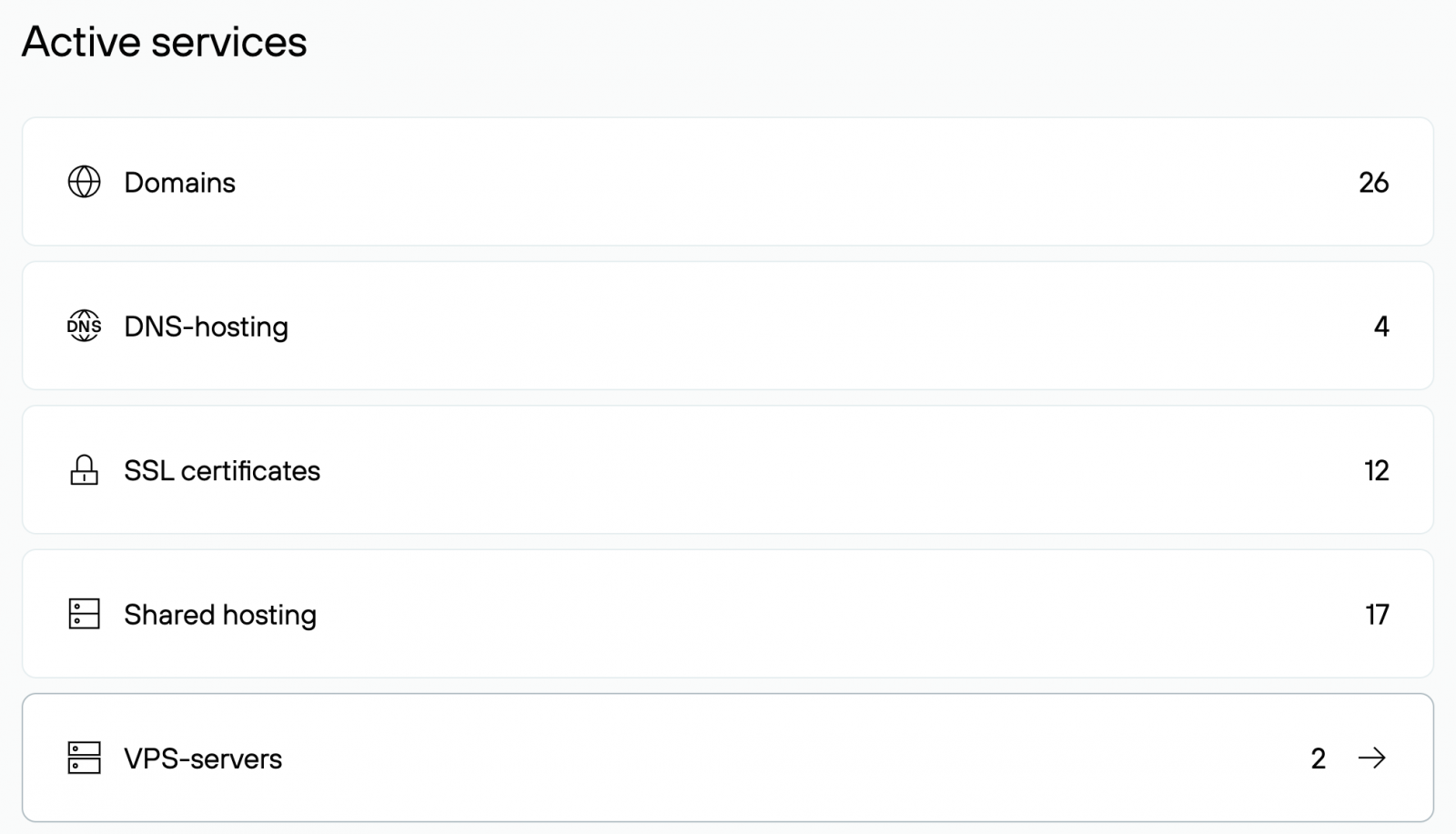
- Select Active Services → VPS Servers.
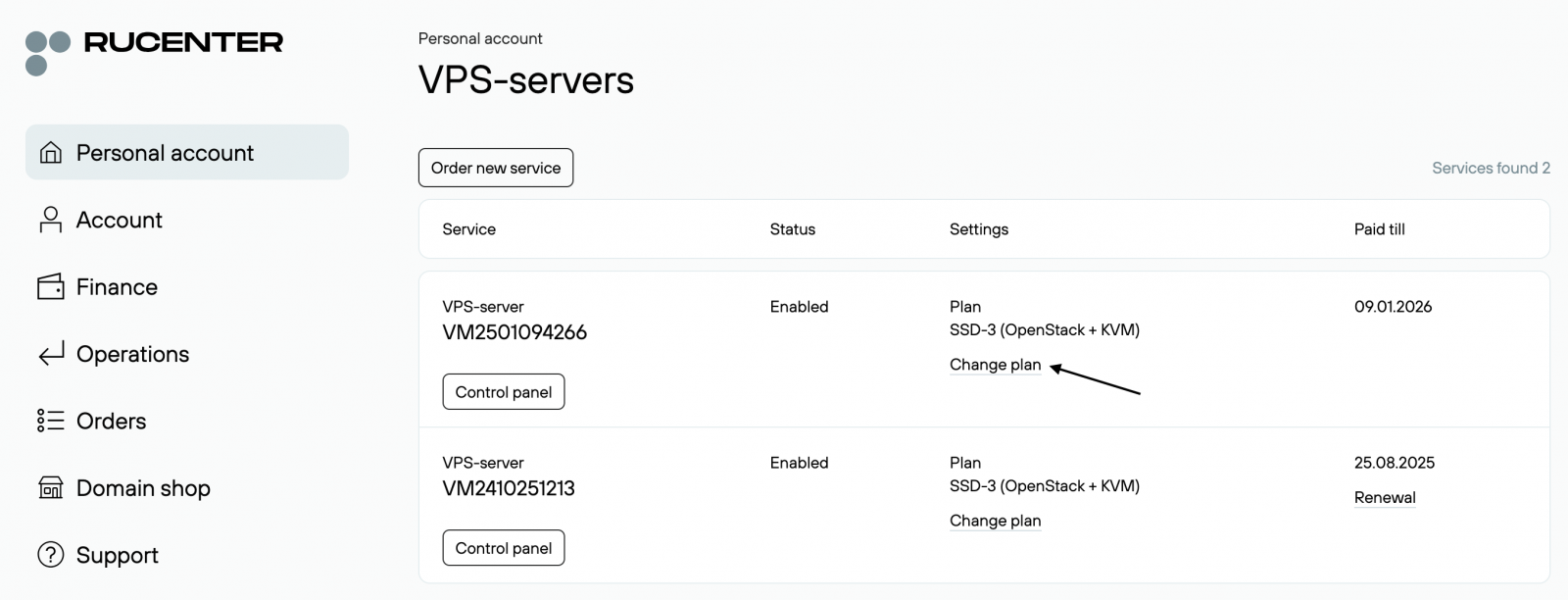
- In the Parameters column, click the Change Plan link.
- On the page that opens, select the new plan in the Plan field.
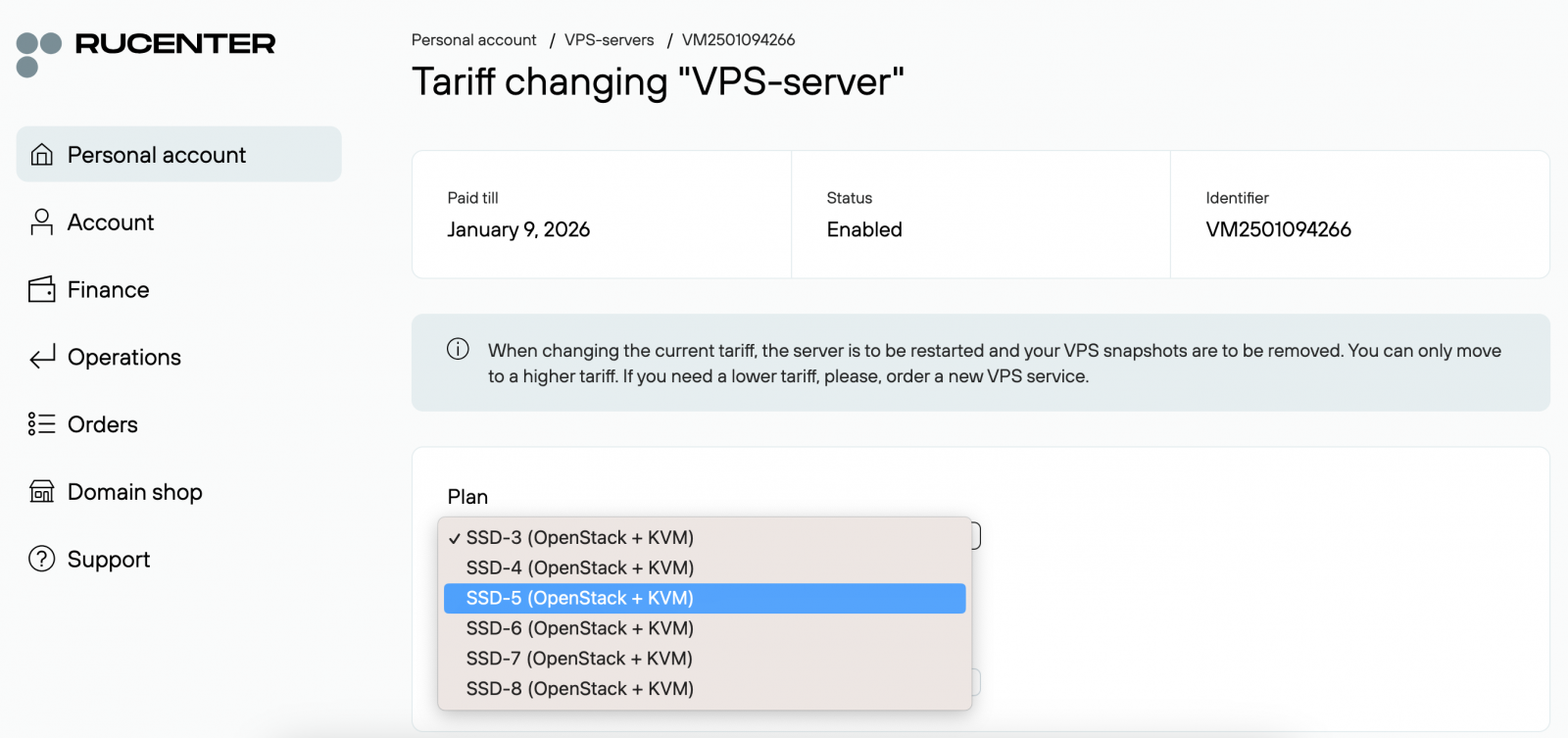
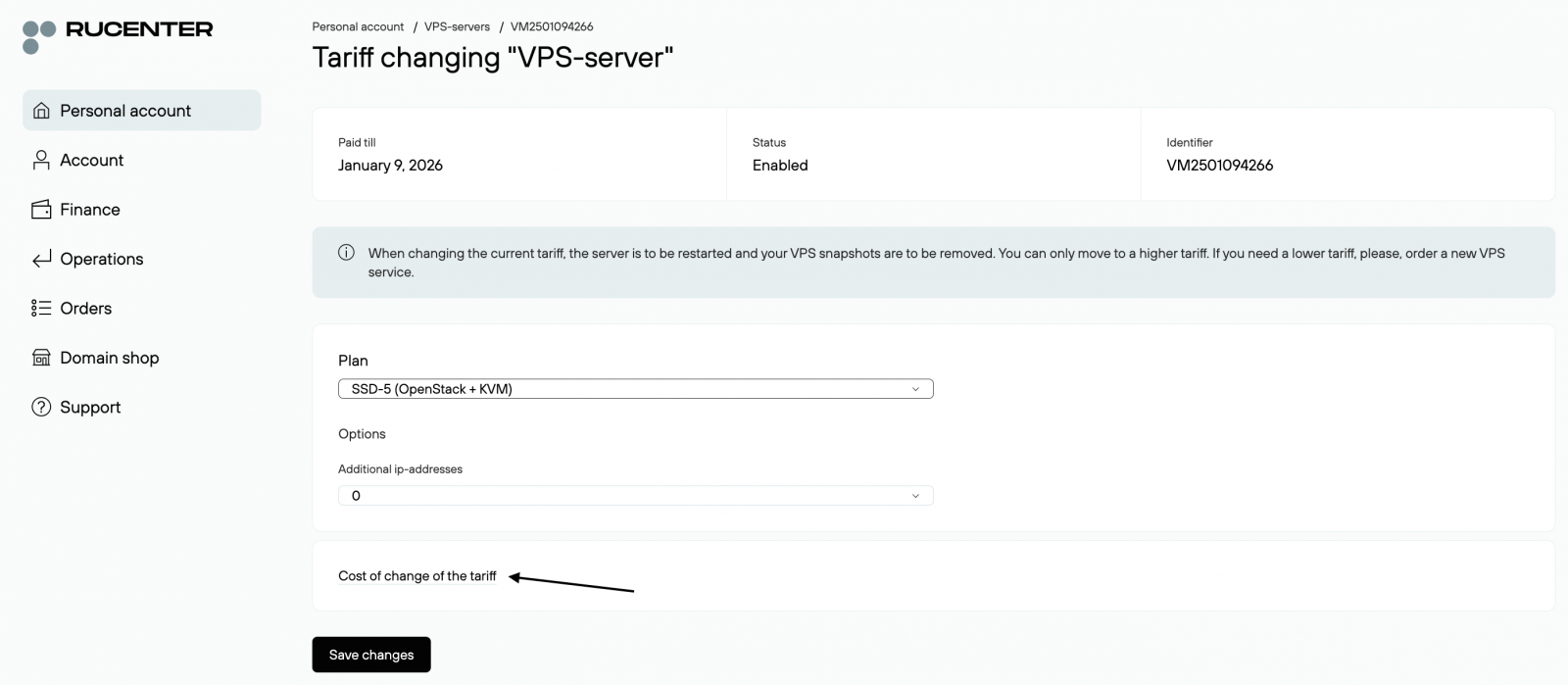
- Click the Show Plan Change Cost link to view the service cost. Then click Save Changes. Click Save Changes.
|
Due to technical limitations of the hypervisor, all saved system snapshots will be deleted when switching to a higher plan. Your VDS will also be restarted. Additional disk space from the new plan will be added as unallocated space. You will need to manually expand your existing partition or create a new disk using standard operating system tools. |
How do I downgrade to a lower plan?
An automatic downgrade to a lower VDS plan is not available. To downgrade, you must order a new VDS/VPS service and migrate your website to it.
Dedicated
Automatic plan changes are not available for the Dedicated Server rental service due to the need for technical procedures that include service suspension, component replacement, and post-configuration testing. Please contact us at dedicated@nic.ru if you wish to change your server.