
Working with resource records
Record types and their parameters
Frequently used resource records
- Viewing existing resource records
- Adding new resource records
- Masks (character "*") in zone file records
Record types and their parameters
The zone file consists of resource records of different types. The only supported record class is IN. A set of resource records with the same type, class, and name (on the left side of the record) is called a record set (RRset). The SOA and NS records for the name that matches the zone name are mandatory; all the other ones may be absent. Records consist of various fields (parameters).
In the zone editor interface, it is possible to specify the value of time parameters in weeks, days, hours, minutes and seconds using the corresponding letters: w — weeks, d — days, h — hours, m — minutes, s — seconds.
XXw — XX weeks, XXd — XX days, XXh — XX hours, XXm — XX minutes, XXs — XX seconds (where XX is a number).
The time parameter will be written to the zone file in seconds.
Examples of records:
1890 — 1890 seconds;
2d5h — 2 days and 5 hours;
3h30s — 3 hours and 30 seconds.
The Default TTL, TTL, and Minimum TTL time parameters determine the TTL (Time-to-live) during which DNS servers (except for the secondary ones) that have received information about records from any DNS server will store it in their memory (cache) and report it upon requests from other DNS servers.
| TTL | Defines the time-to-live for a particular record. Optional parameter. If the parameter value is not specified in the record, the "time to live" is determined by the Default TTL parameter. Recommended value: 86400 (1d); The range of values accepted by the DNS-master editor: 600 to 2147483647 seconds inclusive (231−1). Records belonging to the same RRrset (with the same type, class, and left-hand side name) must have the same TTL value. |
| Default TTL | Specifies TTL (“time to live”) during which caching DNS servers that have received information about records from any DNS server will store it in their memory (cache) and report it upon requests from other DNS servers and resolvers. Recommended value: 86400 (1d); The range of values accepted by the DNS-master editor: 600 to 2147483647 seconds inclusive (231−1). |
| Minimum TTL | Defines the "time to live" of negative responses to queries for resources that do not exist in DNS. Acceptable values: at least 5 minutes. |
The SOA (Start of Authority) record, or initial zone record, specifies which server stores reference information about a given domain, contains contact information for the person responsible for the zone, parameters for caching zone information, and DNS server interactions.
There must be only one SOA record in any zone for a name that matches the zone name.
SOA record format
SOA name [TTL] Data
name: zone name
TTL: see the description of the TTL parameter
SOA: record type
Data:
- Primary Name Server
A Primary DNS server for a zone is a DNS server that stores all the original information about that zone.
Example record:
ns3-l2.nic.ru. (immutable record).
- Hostmaster
The email address of the person responsible for the contents of the zone file.
The Hostmaster parameter record format is:
In the zone editor interface, this field should contain an email address (one) in the normal email address format. The address will be written to the zone file in the standard format for the Hostmaster field, i.e. with the "@" symbol replaced by ".", and with a period at the end.
Example record:
dns.nic.ru.
- Serial number
Serial number is the version number of the zone file. This number must be a positive integer and incremented each time a change is made to the zone file (see RFC1982). Increasing the serial number indicates to secondary servers that the zone has changed and that they need to update their zone.
You do not need to increase this number manually, as it is increased automatically when you save the zone file in the zone file editor. If you change the serial number so that after saving the zone file it remains unchanged or becomes lower than it was before, then secondary servers will not reread the data from the primary server, because they will assume that the data has not changed.
The range of valid values (for the zone file editor): from 0 to 2,147,483,646 inclusive (2³¹−2).
- Refresh
The Refresh time parameter specifies how often secondary servers should query the primary server to find out if the zone Serial number has increased and therefore needs to be refreshed.
Recommended value: from 1h to 6h.
The range of acceptable values: from 30m to 4w.
Format for recording time parameters
- Retry
The Retry parameter specifies how long a secondary name server should wait before retrying to query the primary server (for changes to the serial number of a given zone) if the previous attempt was unsuccessful.
Recommended value: from 20m to 60m.
The range of acceptable values: from 5m to 2w.
Format for recording time parameters
- Expire
The Expire parameter specifies an upper limit on the amount of time a secondary server can use previously retrieved zone data before it becomes invalid due to lack of updating (for example, due to the primary name server being down for an extended period of time).
Recommended value: from 1w to 1m.
The range of acceptable values is not less than the value of the Refresh parameter and not more than 1 year.
Format for recording time parameters
Editing an SOA record
To edit an SOA record, you must select a domain.

Then select the “SOA and TTL” option.

Then fill in the required fields and click the “Apply” button.

Next, before downloading the updated zone file, you can view its contents by going to the "Resource Records" section.

Click on the "preview zone" link.

In the window that opens, check the correctness of the updated data.

In this case, the SOA record looks like this:
domaintest.ru. IN SOA ns3-l2.nic.ru. dns.nic.ru.
(
2014012102 ; serial
1440 ; refresh
36000 ; retry
2592000 ; expire
600 ; minimum
)
If the data is correct, then you need to download the zone. To do this, close the window with the contents of the zone file and click the "Download zone" button.

Frequently used resource records
A-record
An A record allows you to establish a mapping between a hostname in a domain and its IP address.
The A-type record has the following format:
hostname [TTL] A IP address
hostname: the domain name of the host (device) connected to the Internet for which this record maps to its IP address.
TTL: see the description of the TTL parameter.
A: record type.
IP Address: the IP address of the host.
Please note that all A records associated with a single hostname must have the same TTL value.
Examples of A-records for the host info.domaintest.ru in the domaintest.ru zone file:

or

NS record
NS (Name Server) records describe DNS servers for a given domain. The number of NS records in the zone file must exactly match the number of DNS servers serving the domain and include all DNS servers specified in the domain. For second-level domains, these are the DNS servers listed in the "nserver" fields in the domain information that can be obtained using the Whois service.
The NS record has the following format:
domain_name [TTL] NS host_name
TTL: see the description of the TTL parameter.
NS: record type.
hostname: DNS server domain name.
Examples of NS records in the domaintest.ru domain. The DNS servers serving the domaintest.ru domain and the third-level domain test in the domaintest.ru domain (test.domaintest.ru) are listed.
For the domaintest.ru domain:

In case of delegating a subdomain, for example, test.domaintest.ru:

Please note that all the NS records related to the same domain name must have the same TTL value.
If NS records are added to a zone to delegate a certain domain, then there cannot be other types of records in that zone for that domain name, except for glue records, if they are needed (see RFC1034).
For example, in the domaintest.ru zone the domain vasja.domaintest.ru is delegated:
vasja.domaintest.ru. NS ns1.vasja.domaintest.ru.
vasja.domaintest.ru. NS ns2. vasja.domaintest.ru.
In this case, glue records (A records indicating the IP addresses of the DNS servers where the domain is hosted) of the following type are required:
ns1.vasja.domaintest.ru. A 194.123.1.1
ns2.vasja.domaintest.ru. A 194.123.2.1
and records of the following type are not allowed:
vasja.domaintest.ru. MX 10 mail.domaintest.ru.
www.vasja.domaintest.ru. A 194.123.1.3
These records must be located in the vasja.domaintest.ru domain zone.
MX record
An MX (Mail Exchange) record identifies a mail server — the machine that processes mail for your domain.
The MX record has the following format:
domain_name [TTL] MX priority mail server
TTL: see the description of the TTL parameter.
MX: record type.
priority: defines the priority value of the mail server. The lower the number, the higher the priority of the mail server (0 means the highest priority, 65535 means the lowest priority). Thus, the mail server with a higher priority is the primary one, and mail servers with lower priorities will be secondary and will take over if all higher priority servers are unavailable or inoperable for a certain reason.
mail server: name of the mail server.
Examples of MX records for the domaintest.ru domain:

or

Thus, the relay2.domaintest.ru mail server is the primary one, and relay3.domaintest.ru is a secondary mail server and takes over if relay2.domaintest.ru is unavailable or inoperative for a certain reason.
Please note that all MX records associated with a single domain name must have the same TTL value, meaning the records shown in the example record cannot exist simultaneously.
CNAME record
A CNAME (Canonical Name) record allows you to assign mnemonic names to a host. Mnemonic names, or aliases, are widely used to associate a function with a host, or simply to shorten a name.
The real name is sometimes called the canonical name.
If a host has a CNAME record that contains its mnemonic names, other records for that host must reference its real (canonical) name, not the mnemonic name. When DNS programs encounter a CNAME record, they stop their queries for the mnemonic name and switch to the real name.
For example, a pattern like:
ns1.domaintest.ru. CNAME ns.domaintest.ru.
office.domaintest.ru. NS ns1.domaintest.ru.
In addition, if this name is used as an alias, then records of any other type cannot be added to it.
I.e., the following pattern is not allowed:
domain CNAME hostname
domain MX 10 mail server
Mnemonic names are useful, for example, when a hostname has changed and you want to allow users who know the old name to access the host.
The CNAME record has the following format:
mnemoname [TTL] CNAME hostname
Mnemoname: mnemonic host name.
TTL: see the description of the TTL parameter.
CNAME: record type.
hostname: the canonical name of the host.
Examples of CNAME records for the archive.domaintest.ru host in the domain domaintest.ru:

or

AAAA record
An AAAA record allows you to establish a mapping between a hostname in a domain and its Ipv6 address.
The AAAA record has the following format:
hostname [TTL] AAAA IPv6_address
hostname: the domain name of the host (device) connected to the Internet for which this record maps to its IPv6 address.
TTL: see the description of the TTL parameter.
АAAA: record type.
IPv6_address: IPv6 address of the host.
Please note that all АAAA records associated with a single hostname must have the same TTL value.
Examples of AAAA-records for the info.domaintest.ru host in the domaintest.ru zone file:

or

PTR-record
PTR (Pointer) records are used to perform reverse translation of IP addresses to host names. It is recommended to create a PTR record for each host network interface.
Note: If your ISP has allocated you multiple IP addresses from their network, you should contact them regarding reverse zone records.
The PTR record has the following format:
address [TTL] PTR hostname
address: the translated IP address of the host.
TTL: see the description of the TTL parameter.
PTR: record type.
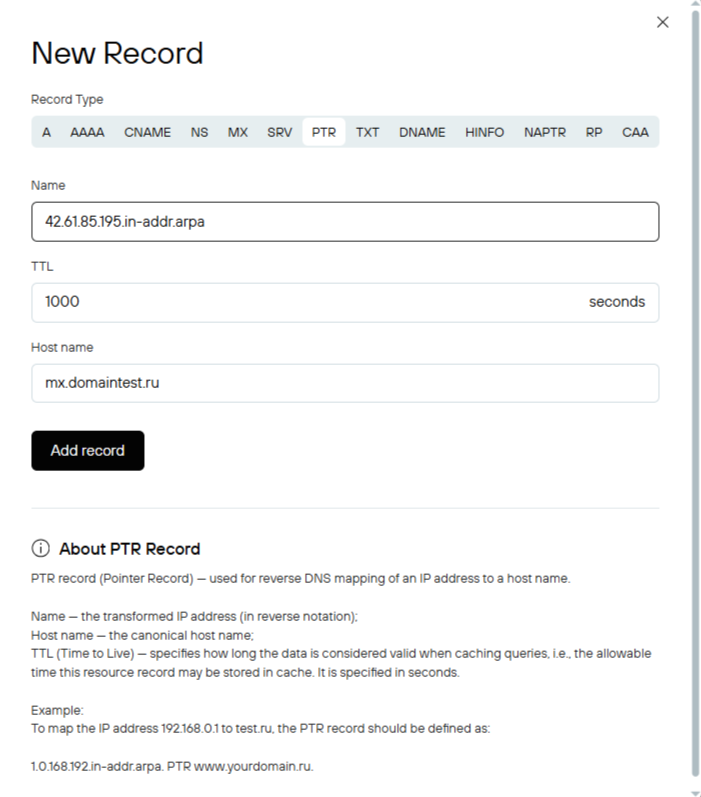
Examples of PTR records
If your ISP has assigned you the IP address 194.85.61.42 in the 194.85.61.0/24 network, then a record of your host (for example, mx.domaintest.ru) will be made by the ISP in the 61.85.194.in-addr.arpa reverse zone. The record will look like this:

or
SRV-record
SRV records are used to find servers that provide services to a given domain.
For a detailed description of this record type, please refer to RFC-2782.
The SRV record has the following format:
_Service._Proto.Name [TTL] SRV Priority Weight Port Target
Service: service name (example: ldap, kerberos, gc, etc.).
Proto: the protocol by which clients can connect to this service (example: tcp, udp).
Name: the name of the domain where this service is hosted.
TTL: see the description of the TTL parameter.
SRV: record type. Priority: the priority of this server. The lower the number, the higher the priority (0 means the highest priority, 65535 means the lowest priority).
Weight: relative weight for servers with the same priority. Designed to distribute the load between servers that have equal priority.
Port: the port on which the specified service is hosted on this server.
Target: the domain name of the server providing this service.
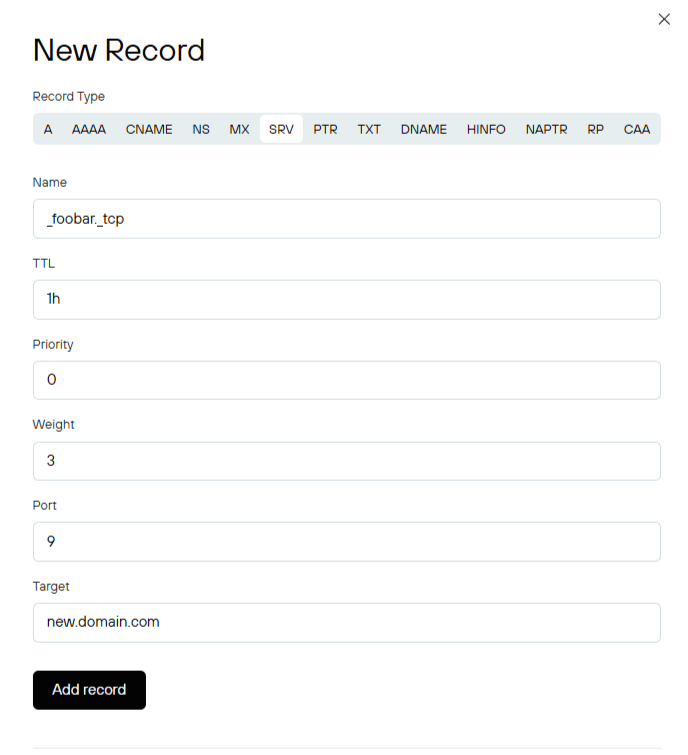
Examples of SRV records

or
TXT-record
A TXT record is typically used to provide a textual description of a domain name.
The TXT record has the following format:
name [TTL] TXT text
name: domain or host name.
TTL: see the description of the TTL parameter.
TXT: record type.
text: one or more text lines, each containing no more than 255 characters.
TXT record examples:

or

When adding or editing a TXT record in the zone file editor interface:
- If you need to enter multiple text lines, they must be separated by a line break.
- If the input line contains more than 255 characters, perform a line feed after the 255th character.
- There is no need to include quotation marks (the " symbol) at the beginning and end of a text string. The string will be automatically written to the zone file in the standard TXT format for the field, i.e. with quotation marks.
- If quotation marks are used in a text string, they will be automatically escaped.
Working with resource records
Viewing existing resource records
To view resource records, you must select a domain.
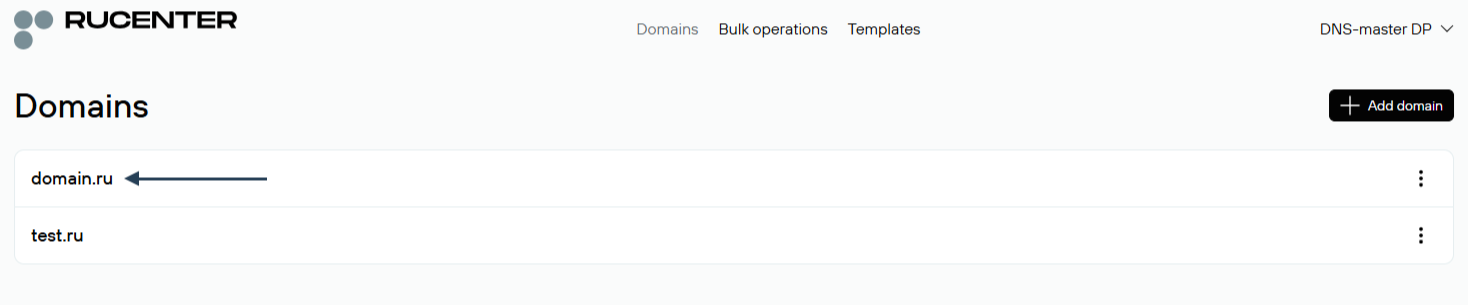
Go to the "Resource Records" section.

After this, a table with a list of all current resource records will open on the page.

Adding new resource records
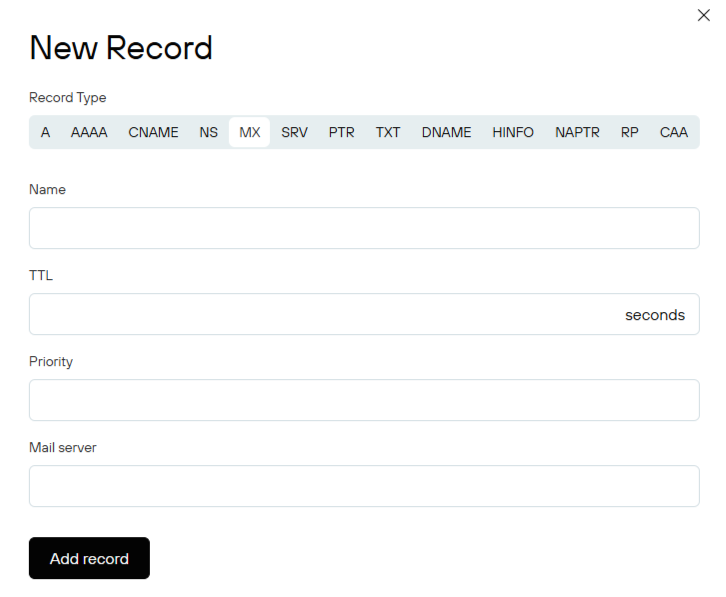
To add a new record, go to the "Resource Records" section of the zone and click the "Add New Record" button.

Specify the required parameters for the record being added.
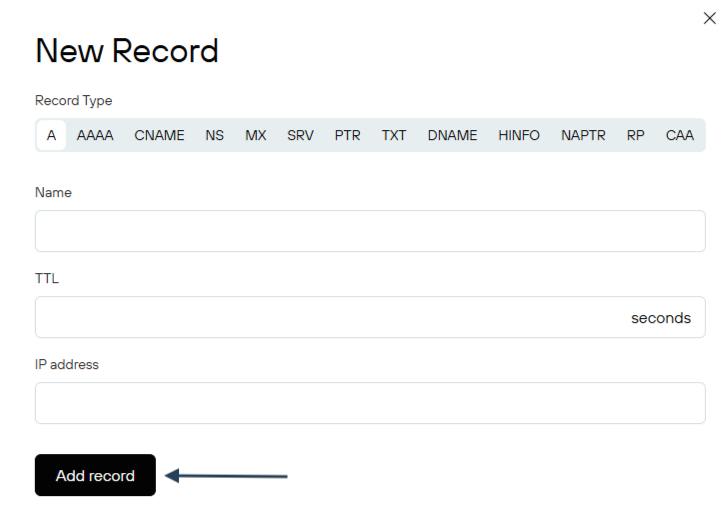
* The number and set of parameters to be set vary depending on the type of the record being added.
After you add a new zone, you need to download the zone file for the changes to take effect. To do this, click the “Download zone” button on the same page.

Masks (character "*") in zone file records
DNS reserves a special character, the asterisk (*), for use in zone files as part of a mask. An asterisk matches any number of labels in a name, unless a record for the name already exists in the DNS server database.
The place where the mask can be used is strictly defined — it can only be the first character in the current domain name or host name field, separated from the rest by the "." character.
The asterisk (*) character is not allowed in a domain name on the left side of an NS record.
Examples of mask use:

These records mean that mail sent to somebody@domaintest.ru will be routed to the relay1.domaintest.ru mail server, while mail sent to any other addresses in the domaintest.ru domain, such as somebody@mail.domaintest.ru or somebody@anyhost.domaintest.ru, will be routed to the relay2.domaintest.ru mail server.

The record means that any possible host name in the domaintest.ru domain (for example, "www.domaintest.ru", "mail.domaintest.ru", "anyname1.anyname2.domaintest.ru", etc.) will correspond to the IP address 194.123.1.1.
Mask restrictions:
Masks are not matched against domain names that already have data defined.
For example:
*.domaintest.ru. MX 10 relay2.domaintest.ru
mail.domaintest.ru. MX 10 relay3.domaintest.ru
info.domaintest.ru. A 194.123.1.1
office.domaintest.ru. NS ns1.office.domaintest.ru
Mail for somebody@mail.domaintest.ru, for example, will be sent to the relay3.domaintest.ru mail server, but mail for somebody@anydomain.domaintest.ru will be sent to the relay2.domaintest.ru mail server. Searching for an MX record for info.domaintest.ru will result in a response that an MX record does not exist for this domain name. The mask cannot be used because an A record exists for this name. The mask will also not be used for domain names within the office.domaintest.ru zone, since masks do not extend beyond the delegation boundaries.