
Creating MySQL Databases
We recommend creating a separate database for each website.
To create a new database: Go to the Databases (Базы данных) section of the hosting control panel and click Create Database (Создать базу).
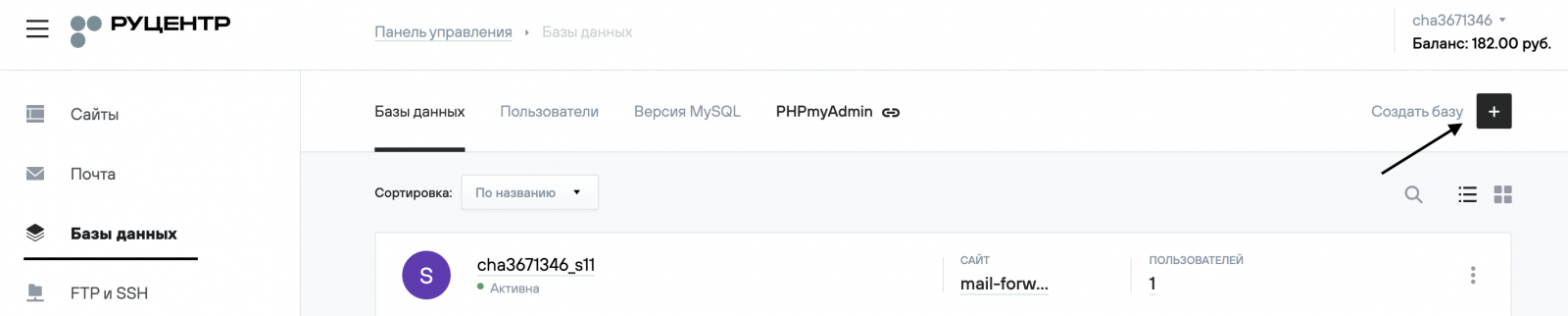
In the new window, enter the database name and click Create (Создать).
In the Ownership (Принадлежность) menu, select the website that will use this database from the dropdown list, then click Save (Сохранить).
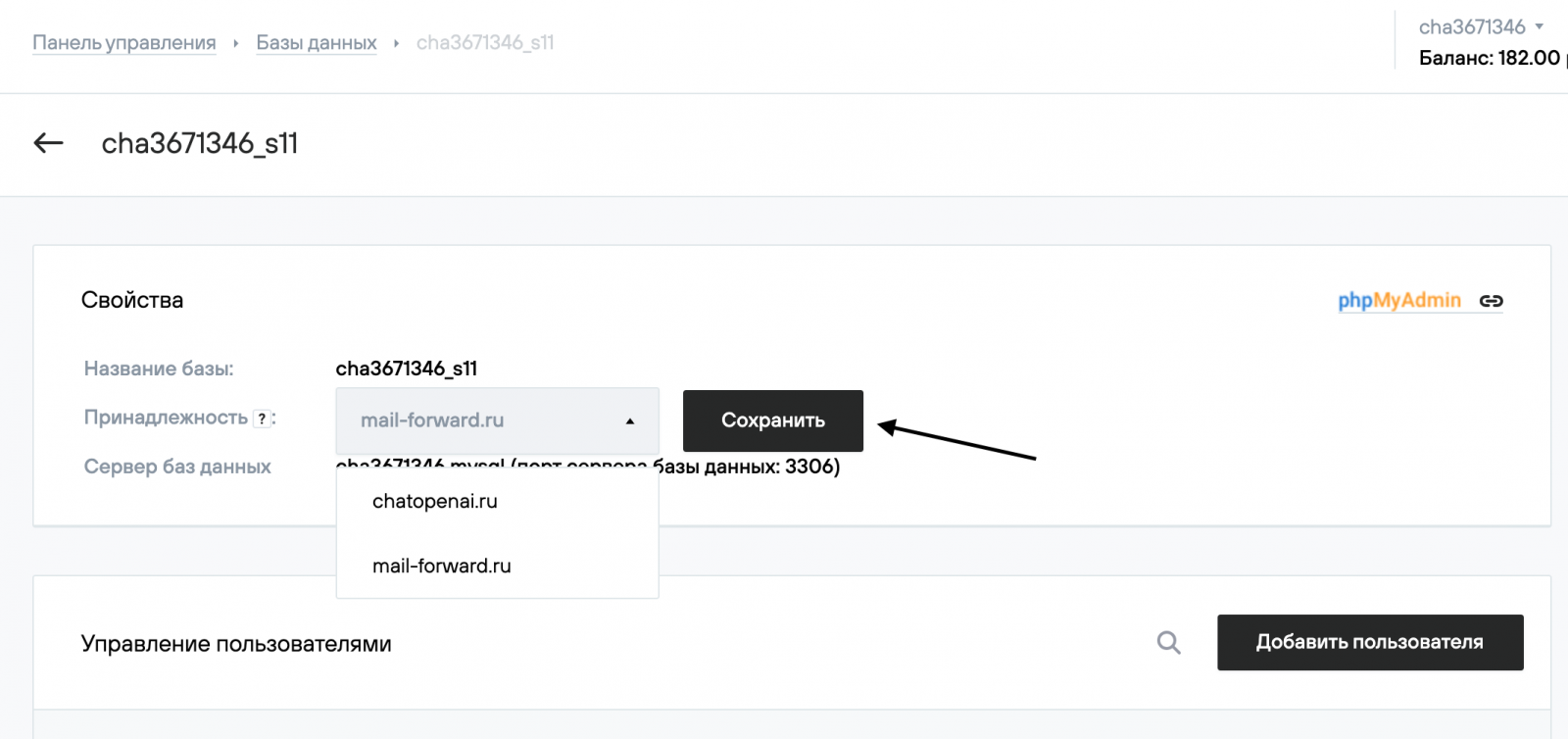
Next, click Add User (Добавить пользователя). From the dropdown list, choose the required MySQL user. In the Privileges (Права) field, we recommend selecting Full Access (Полный доступ). Then click Create (Создать).
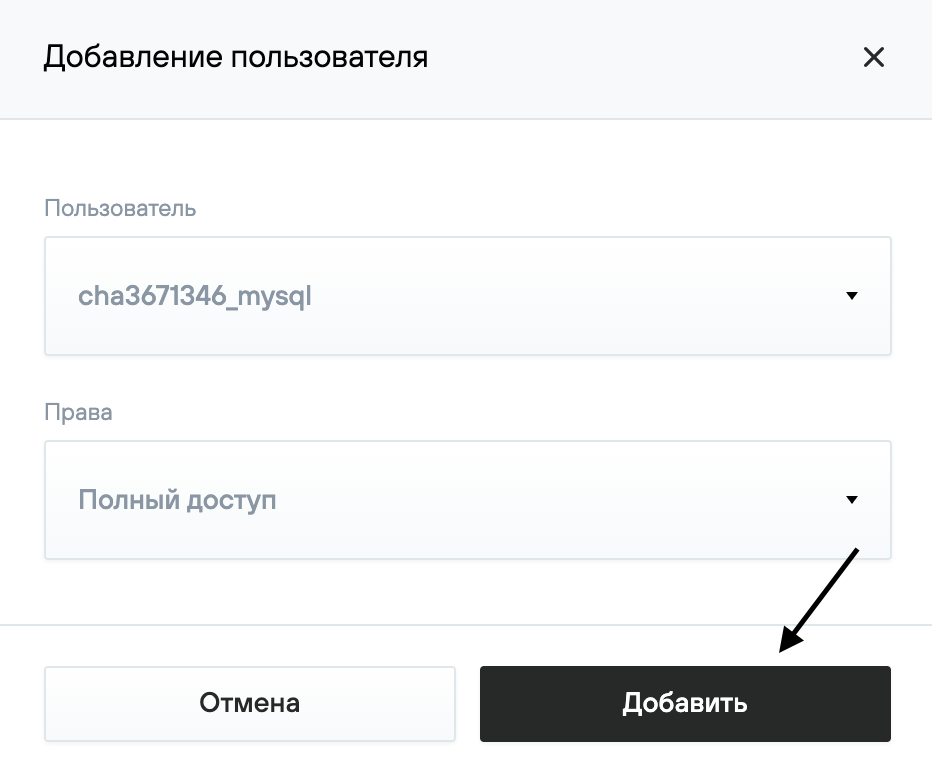
That completes the setup. You can now use the database to host a new website.