
Delegating Subdomains to Separate DNS Servers
To manage subdomain zones independently, the subdomains must be delegated to separate DNS servers. To do this, add NS records to your domain zone pointing to the authoritative DNS servers for the subdomains.
ns1.example.ru
ns2.example.ru
To add the records, do the following:
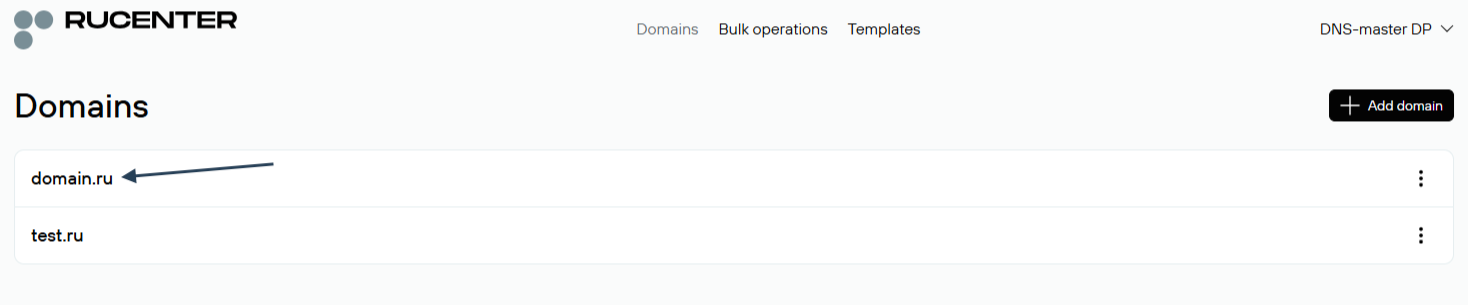
1. Open the DNS-master editor and select the domain you want to edit.
ns3-l2.nic.ru
ns4-l2.nic.ru
ns8-l2.nic.ru
ns4-cloud.nic.ru
ns8-cloud.nic.ru
These servers must not be removed from the domain zone.
ns3-l3.nic.ru
ns4-l3.nic.ru
ns8-l3.nic.ru
You can find more details on DNS hosting configuration in the relevant guide.
2. Click Add new record and select the record type NS.
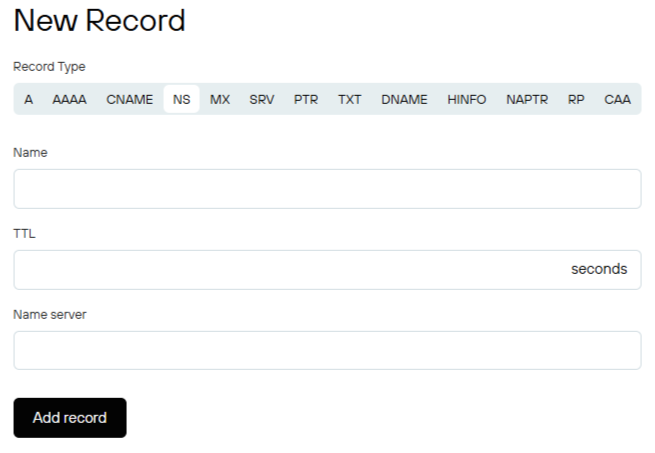
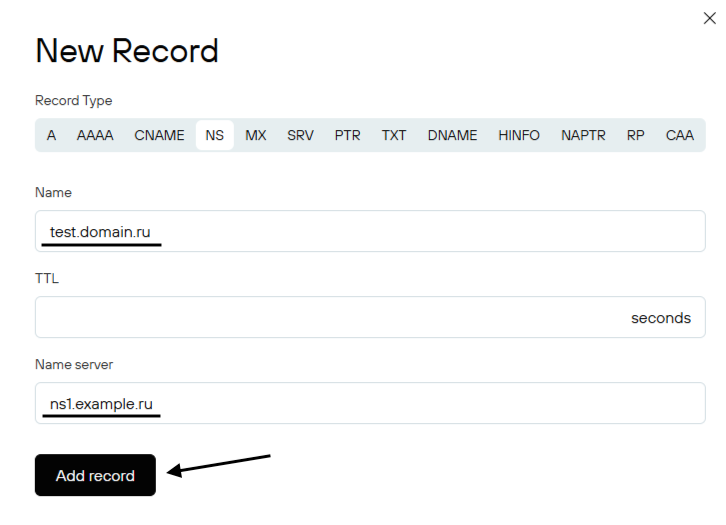
In the Name field, enter the desired subdomain name. For example: test.domain.ru., where test is the name of the subdomain.
In the Name Server field, specify the DNS server to which the subdomain should be delegated, for example: "ns1.example.ru".
Verify the entered data and click Add:
If a record in the list is highlighted in yellow, this means it has not yet been uploaded to the DNS servers and is not active.
Repeat the same steps for the second DNS server ns2.example.ru. (If you need to add more than two DNS servers, add the third, fourth, etc. in the same way.) Once the list is complete, publish the DNS zone by clicking Publish (Выгрузить зону):
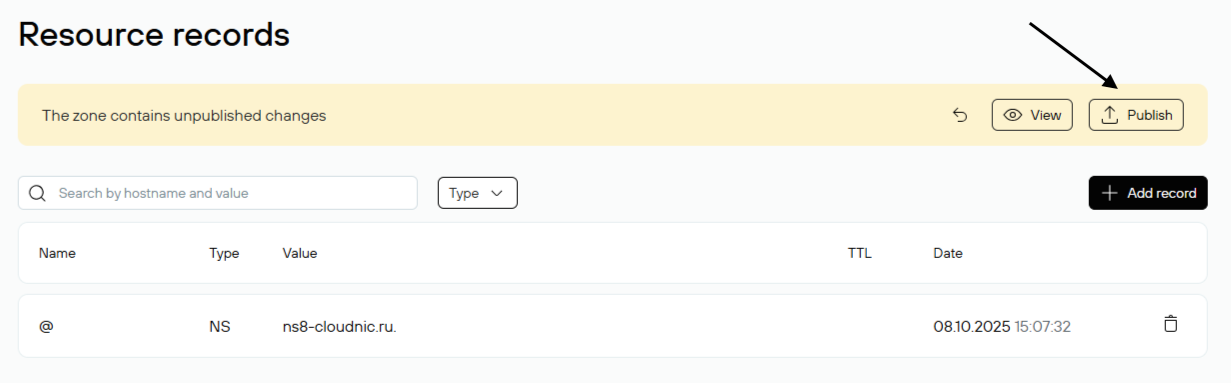
If everything is configured correctly, the DNS zone will be uploaded and the records will change color from yellow to white:
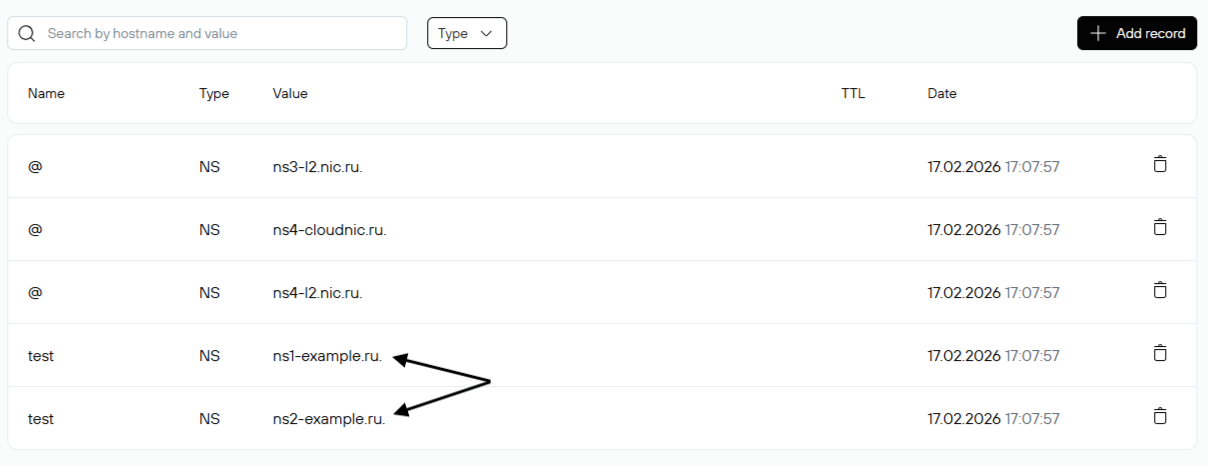
Done. The subdomain test.domain.ru has been delegated to the DNS servers ns1.example.ru and ns2.example.ru. Management of the third-level domain zone test.domain.ru must now be performed on these DNS servers.