
Domain registration
A domain (domain name) is a website address. In a browser, you will see it in the address bar:

The website address in the browser may look like https://nic.ru or https://www.nic.ru. nic.ru is the domain. https:// prefix is not a domain, but a designation of a data transfer protocol. The www prefix is configured after registering (purchasing) a domain.
A domain consists of a unique name and a domain zone (domain), for example, nic is the name, .ru is the domain zone. You set the name yourself, and choose the domain zone from existing ones.
Which domain to choose?
Traditional domains — .ru, .su, .рф, .com, .net, etc.
Universal domains, suitable for websites of any subject. They have been on the market for a long time, they are familiar to users, but it is not easy to find a free beautiful name.
Foreign / worldwide domains — .tk, .kz, .tv, .us, .bz, .eu, .cc, etc.
Reflect the geographic location of the webe's audience. They are used not only for territorial designation - for example, the .bz domain is popular in the business sector, although it was implemented as a domain of the state of Belize. Or the .tv domain is a popular zone for television-themed sites, belonged to the state of Tuvalu in Polynesia.
Themed domains (New gTLD) — .online, .club, .shop, .xyz, .me, .top, etc.
New gTLD domains were created to designate areas of activity: hobbies, business, entertainment, education. Their advantage is that they allow you to reflect the business theme directly in the website name. Domains have become available for registration not so long ago, so there are many beautiful addresses still available.
Premium domains
Available in different domain zones: .com, .net, .org, .tv., etc. They are in high demand, as they consist of frequently used, euphonious words, are easy to remember and provide the website with higher search engine rankings. The cost of registering and renewing such domains may be higher compared to standard domains.
We have tried to make the process of selecting a domain on our website fast and convenient. To do this, we grouped domains by thematic categories, added a list of all domain zones in alphabetical order (there are more than 700 of them) and set up a self-learning algorithm that will offer you domains based on current trends.
Before registering a domain, it is important to know
A domain name should not violate the rights of other individuals and companies. Try not to register domains that match the names of companies and brands that do not belong to you.
The registrant (owner) of a domain is an individual or an individual entrepreneur. He is responsible for the domain and the content published on the website.
How to register a domain with Rucenter
- Domain selection
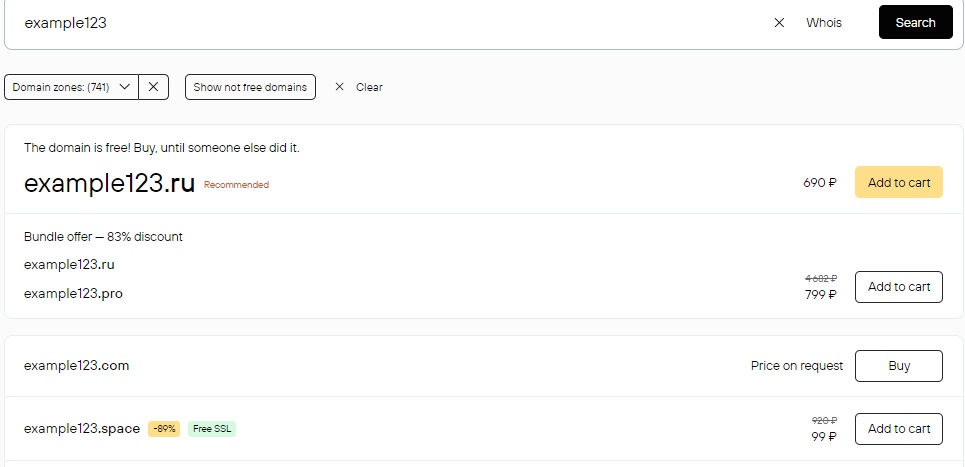
Go to www.nic.ru and type a domain name in the search bar. You can specify just the name if you have not yet selected a domain zone (as in the picture below). The name can only contain letters, numbers and hyphens.
Click the Find button.
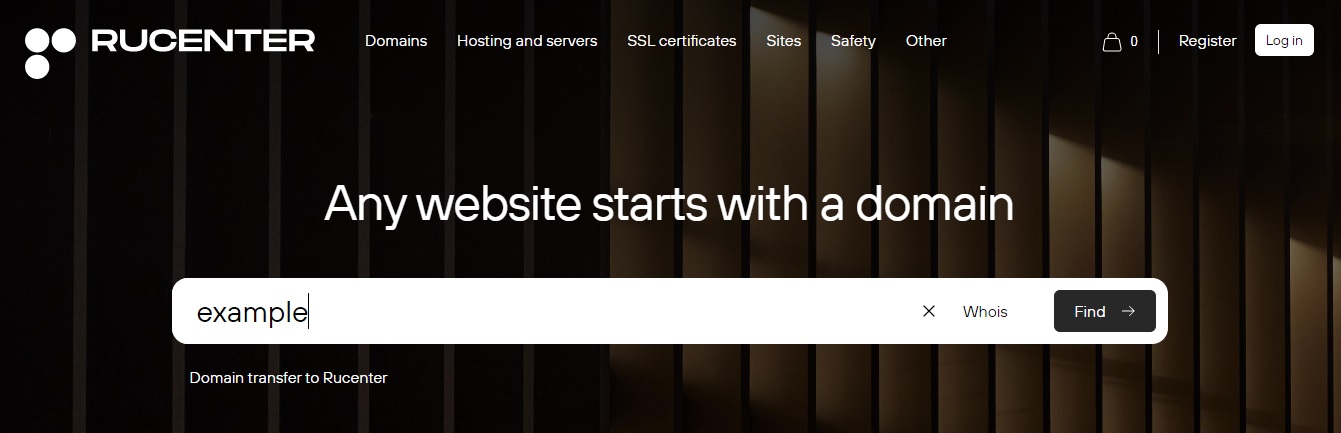
A list of available domains with the name you specified will appear on the page.

Below, in the Recommended block, the domains selected by the recommendation system based on user preferences and general trends are displayed.
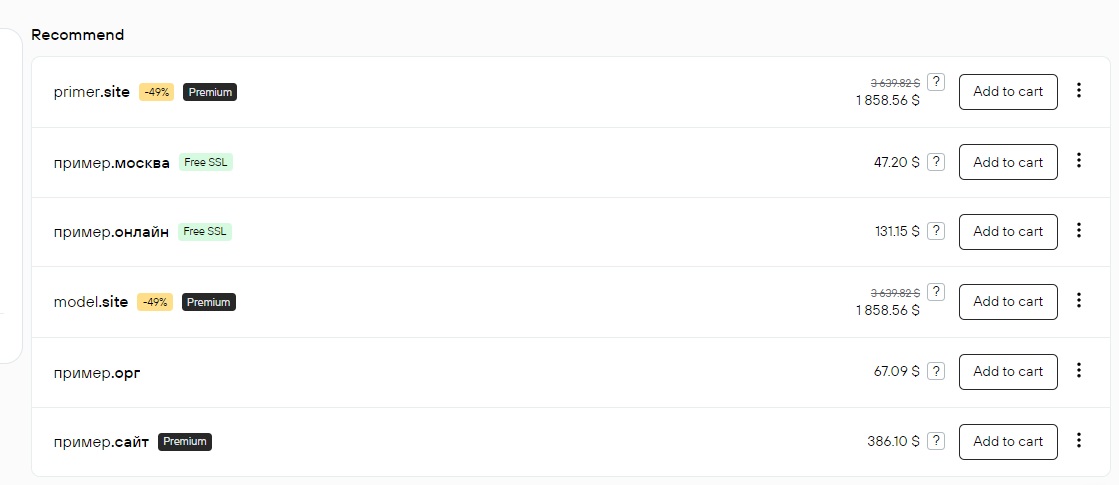
Some domains have tags:
.png) — domain zone value, registration features.
— domain zone value, registration features.
 — discount on domain registration, valid for a limited time.
 — catchy domains, easy to remember, so they cost more.
 — service is free when registering a domain.
 — domain is occupied and sold in Rucenter Domain Store by the current registrant.
You can use additional tools for easy selection:
The thematic categories are listed in the Recommended block on the left. Click on the category you are interested in to see the list of available domains with your name.
The Domain Zones filter allows you to check if your domain name is available in specific zones. All domain zones are presented here in alphabetical order - check the ones you are interested in and click Apply.
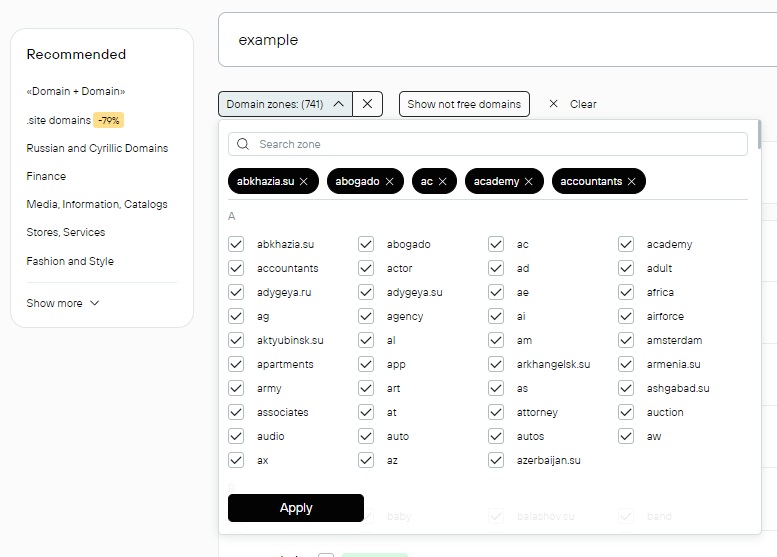
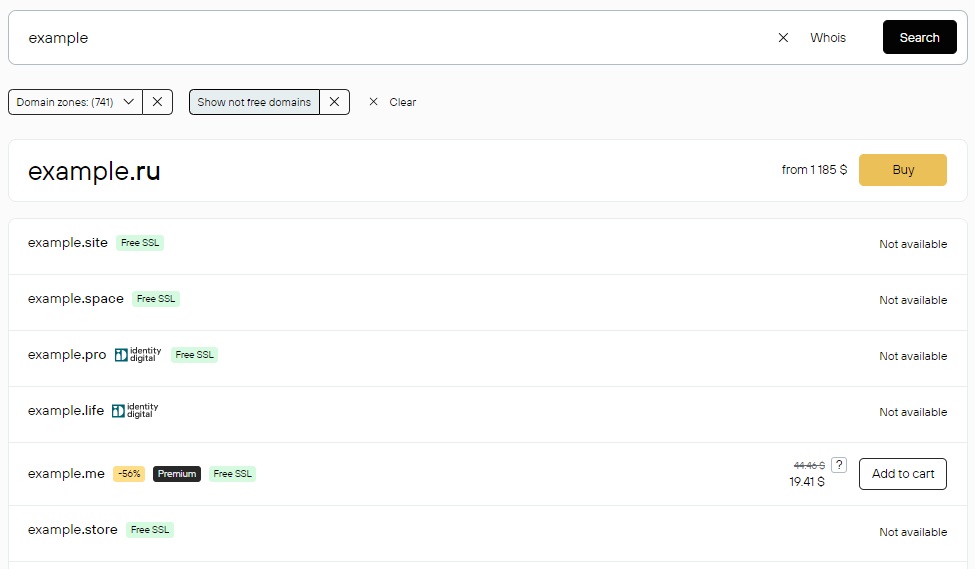
The “Show not free domains” filter includes in the list of results domain names that exactly match your query but are not available for registration.
Whois Service will display information about the domain:
- registrar name;
- data of the registrant (owner), if they are not hidden;
- dates of registration start and end;
- list of DNS servers on which the domain zone is configured;
- e-mail of the registrant or feedback form for contacting the registrant.
- Checkout
Add all selected domains to the cart.
Click on the Cart to check the list of services and the cost of the order. You can delete the services you don’t need by clicking on the cross. Click the Order button.

Log in or click Register if you are not yet a Rucenter client.
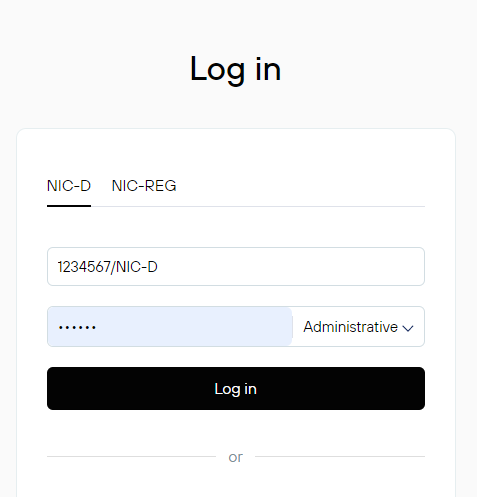
The registrant (owner) of the domain will be the person whose data is specified in the contract form.
In the next step, you can select services for hosting or creating a website on the domain and add them to the order. Click Add or the link Continue without selecting a service.


Essential security level is used for all Rucenter domains by default, but you can select Enhanced or Maximum, which include additional security options.

Registration of domains in international, foreign zones and New gTLD domains will require contact information that will be displayed in Whois public service. This is a requirement of the international organization ICANN, which coordinates the Internet Domain Name System. ICANN blocks domains with inaccurate or incomplete contact information. Check your data or click “Edit” to make changes. By default, the Privacy Protection service is included in the order, which allows you to hide data in Whois. If you want to leave contact information open, click Disable, the service will be removed from the order.
Click “Continue.”

On the page you will see your order and its cost. The order includes the registrant liability insurance service, as well as other special offers. You can remove them from the order if you do not need them at the moment.
Click on “Go to payment.”


Information about the order will appear in your profile in the “Orders → Processing queue” section.
- Domain registration
The order is processed automatically if there are sufficient funds in the personal account. Payment methods.
Domain registration takes from 2 to 24 hours. Except for domains that require additional documents for registration - the registration time for such domains may take more than 7 days.
Notification of successful registration is sent to the contact e-mail specified in the form. The domain will be available for management in your profile in the “Active Services → Domains” section.
After registering a domain, you can receive a Domain Ownership Certificate with a seal.