
Protecting a directory with Basic Authentication
First, create an .htaccess file inside the directory you want to protect with a basic authentication prompt. In this example, we'll protect the folder «test»:
- Click «Create file (Создать файл)».
- Enter the file name .htaccess (note: the leading dot is required) and click «Create (Создать)».
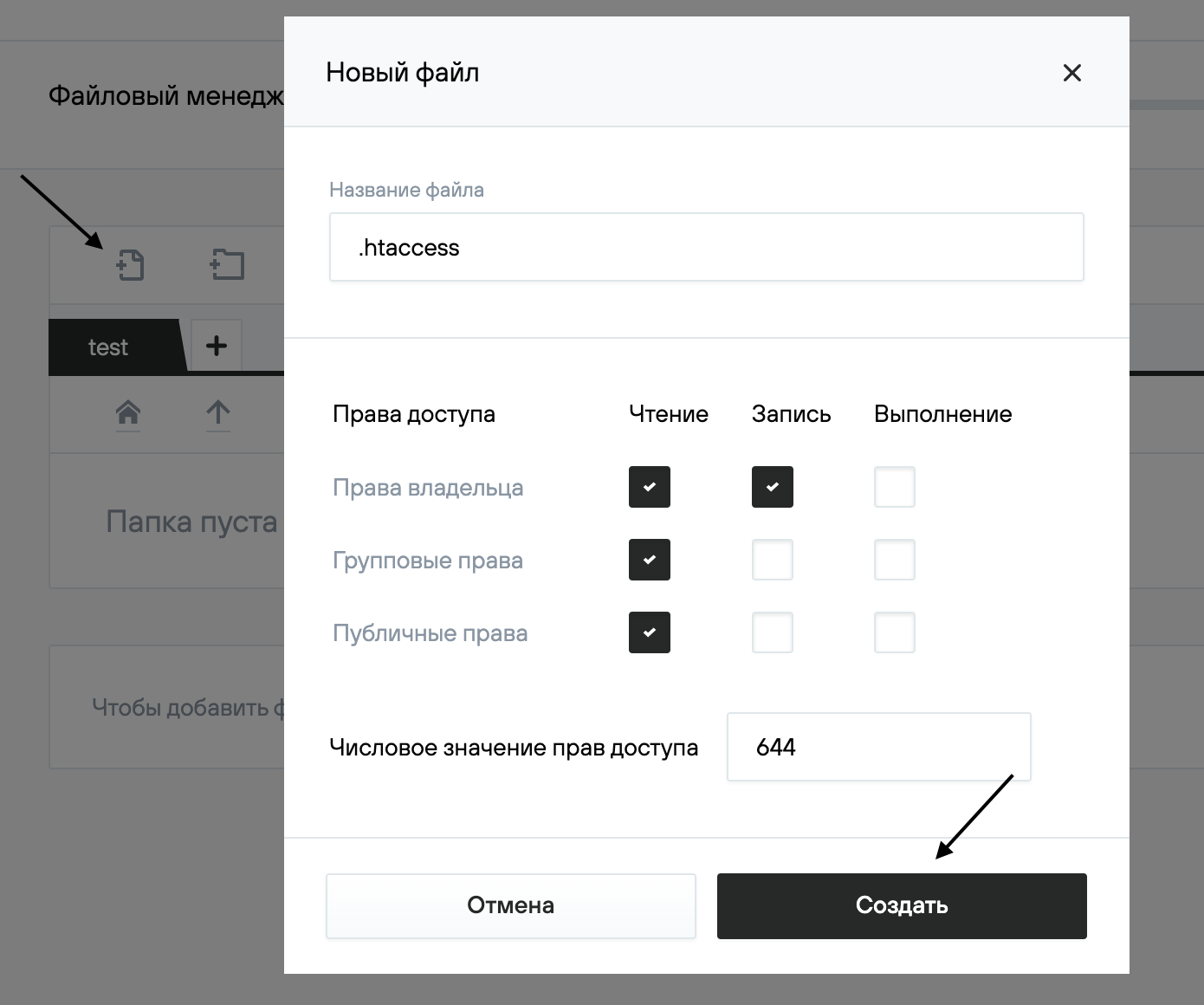
Similarly, create another file named .htpasswd.
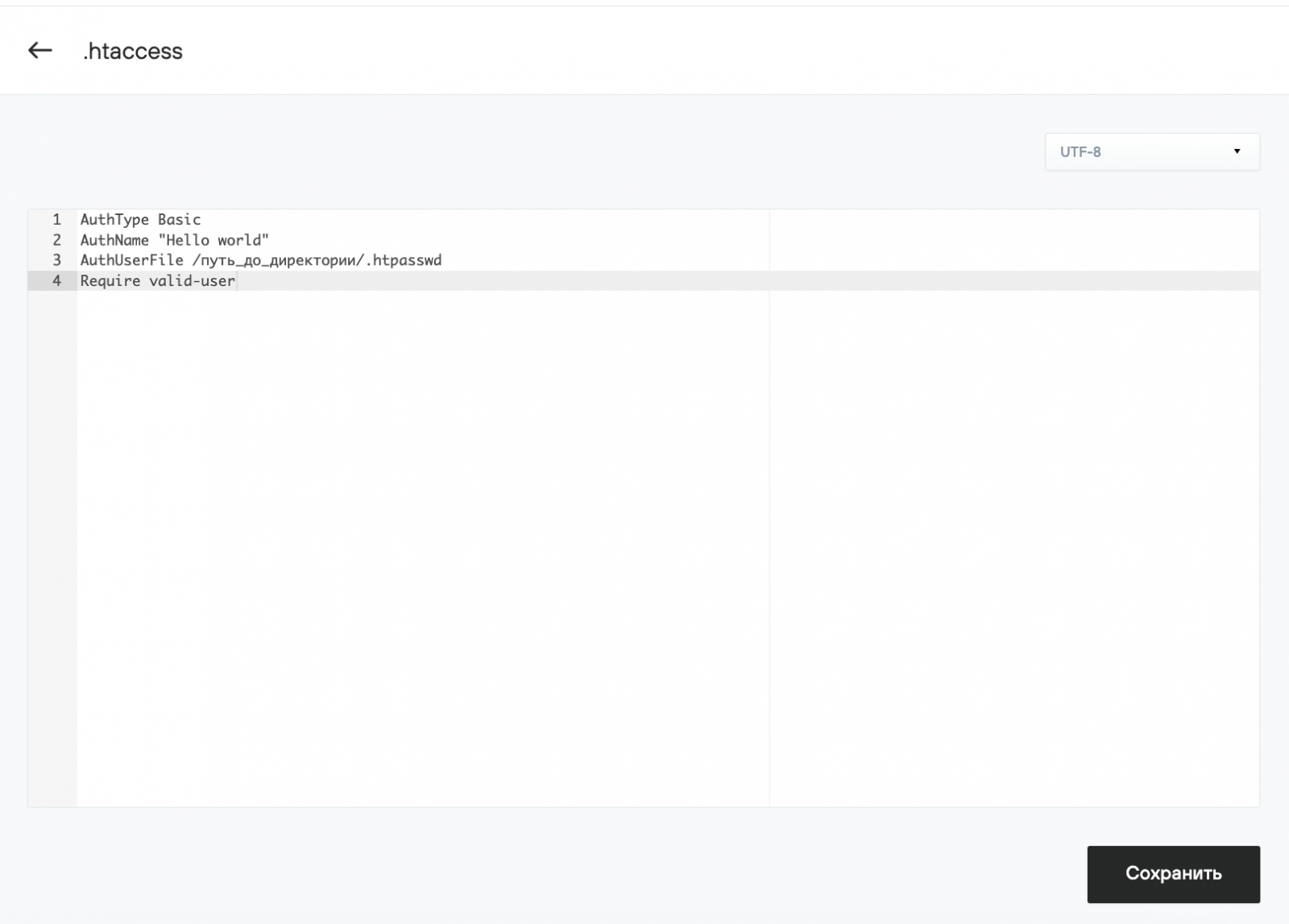
Contents of .htaccess
Add the following code to the .htaccess file you created:
AuthName "Hello world"
AuthUserFile /путь_до_директории/.htpasswd
Require valid-user
AuthUserFile — absolute path to the .htpasswd file (explained below).
AuthName "Hello world" — message "Hello world" shown in the login prompt (note: Cyrillic is not supported).
Here is what it should look like:
Passwords in .htpasswd
In our example, the .htpasswd file will also be placed in the «test» directory.

In .htpasswd stores username + hashed password pairs. For example:
//Here username is admin, password — admin
Usernames can include Latin letters, numbers, «–», and «_». They are case-sensitive.
To generate a hashed password, use a password generation utility.
Insert the generated line into your .htpasswd file and save the changes.
Done — your «test» directory is now protected with basic authentication.
