Restoring Access to FTP and SSH
FTP
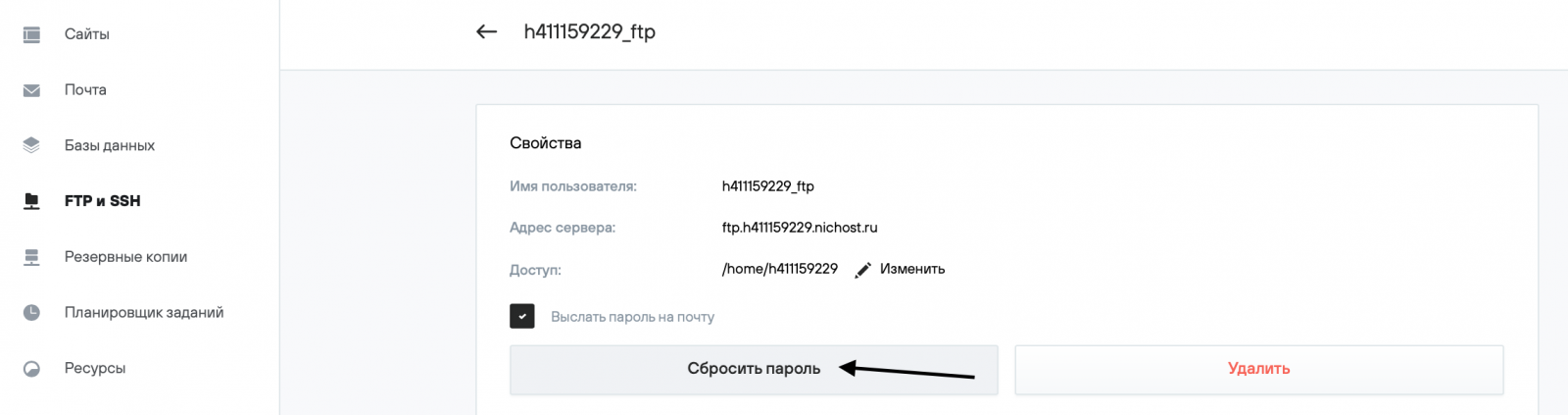
A lost password cannot be recovered. To get a new FTP password:
1. Log in to your hosting control panel, then FTP and SSH → FTP. Select the desired FTP user.

2. To receive your FTP password by email, select the Send password by email (Выслать пароль на почту) option. Click the Reset password (Сбросить пароль) button. The new password will be displayed on the screen.
SSH
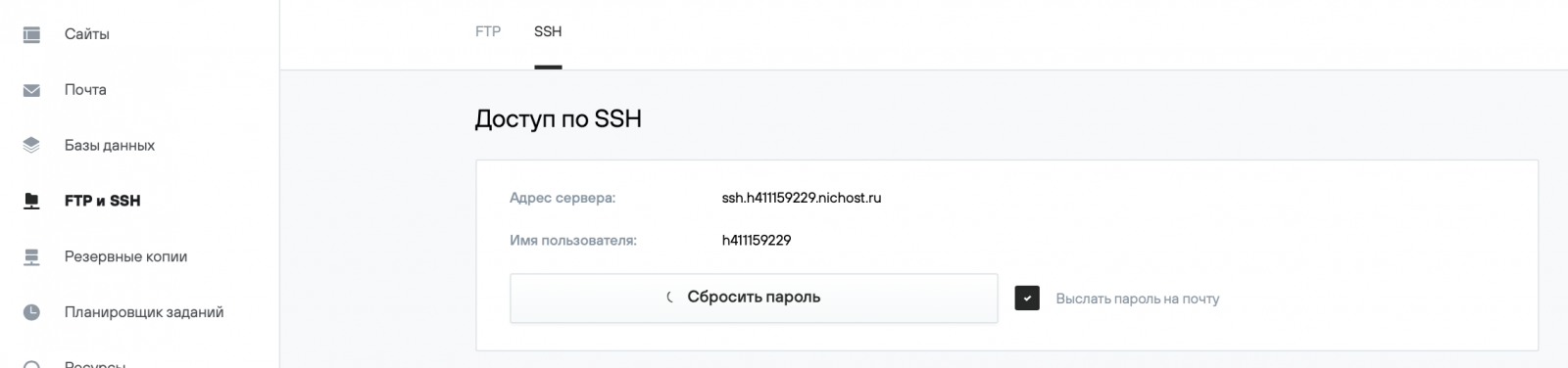
A lost password cannot be recovered. To get a new SSH password:
1. Log in to your hosting control panel, then FTP and SSH → SSH.
2. To receive your SSH password by email, select the Send password by email (Выслать пароль на почту) option. Click the Reset password (Сбросить пароль) button. The new password will be displayed on the screen.