
Restoring MySQL Database Access
A lost password cannot be recovered. Before requesting a new password, we recommend trying to find the current password:
- in your website's configuration files.
- The password may also be included in password change emails if the password has been changed previously.
To obtain a new MySQL password:
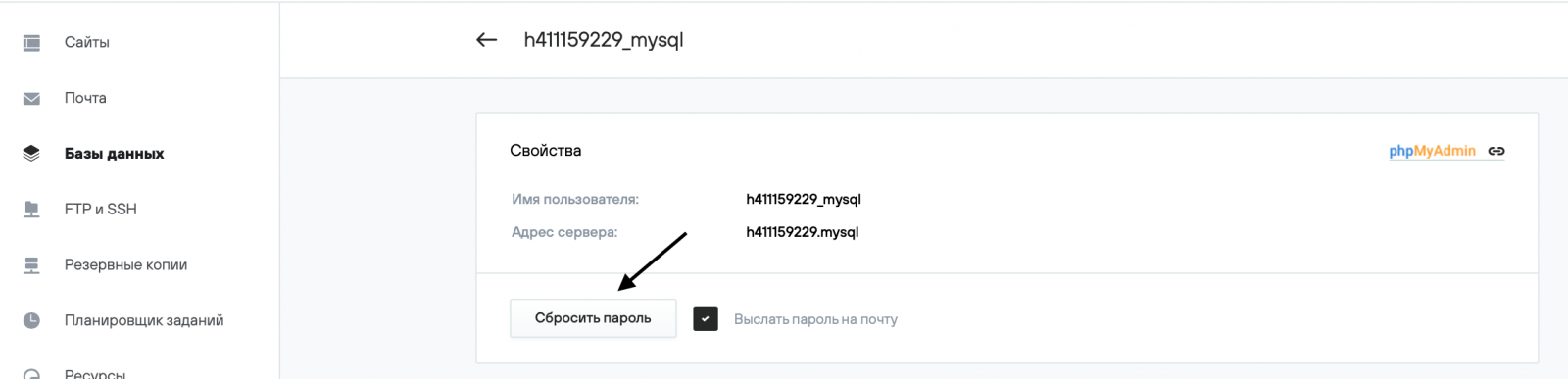
1. Log in to your hosting control panel, then Databases → Users (Базы данных → Пользователи).

2. Select the desired user.

3. To receive the MySQL password by email, select the Send password by email (Выслать пароль на почту) checkbox. Click the Reset password (Сбросить пароль) button. The new password will be displayed on the screen.
Websites using this MySQL user will be unavailable until the password in the configuration files is changed to the new one.
Websites using this MySQL user will be unavailable until the password in the configuration files is changed to the new one.