
Service Reset
If you want to restore the service to its original state, as it was when you ordered it, use the "Service Reset" function.
Please note: this action is irreversible.
During the reset process, the service is deleted and recreated with the parameters specified during the order:
- Website on the technical domain or the domain specified during the order,
- Pre-installed CMS, if selected,
- Mail, if included in the plan,
- Installs an SSL certificate on the website, if available in the certificate store.
The following services are not deleted:
- File, database, and email backups,
- SSL certificates,
- Antivirus license (requires re-binding to sites).
Data and parameters added after the service has started will be deleted:
- Web server settings,
- Created websites and their settings,
- Website and database content,
- CRON tasks,
- Mail domains and their settings,
- Mailing lists.
How to reset a service
1. Log in to the hosting control panel using your agreement number and password.
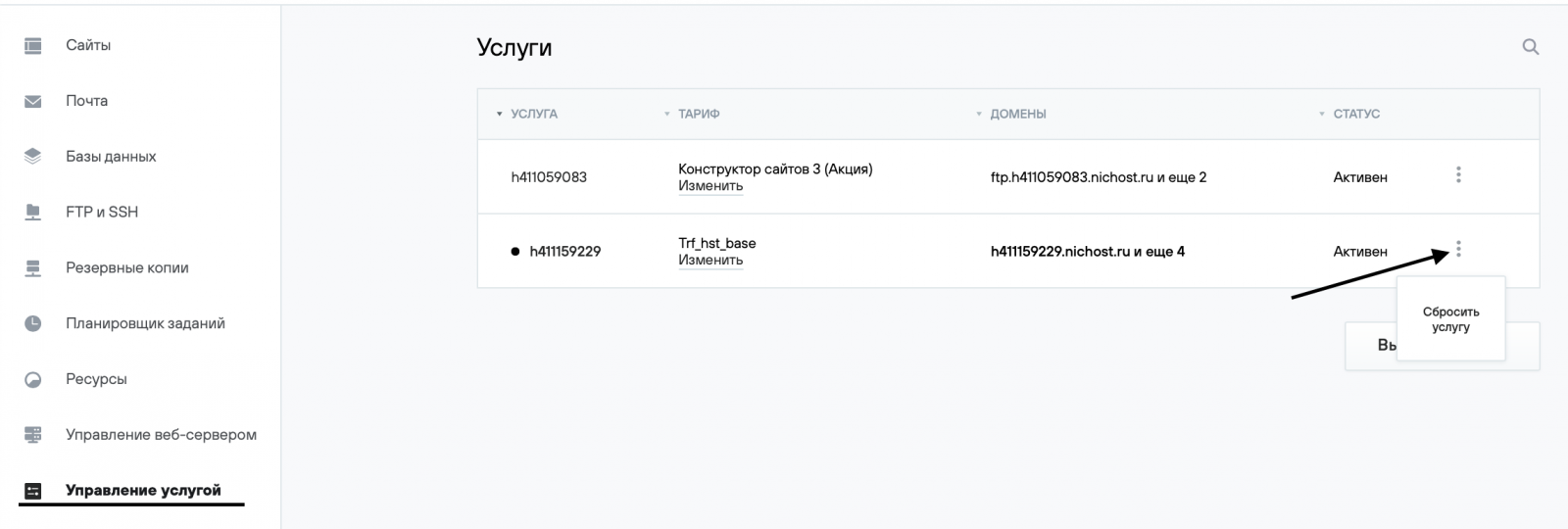
2. Go to the Service Management (Управление услугой) section.
3. Click the three dots to the right of the service and select Reset Service (Сбросить услугу).
4. Confirm the service reset.
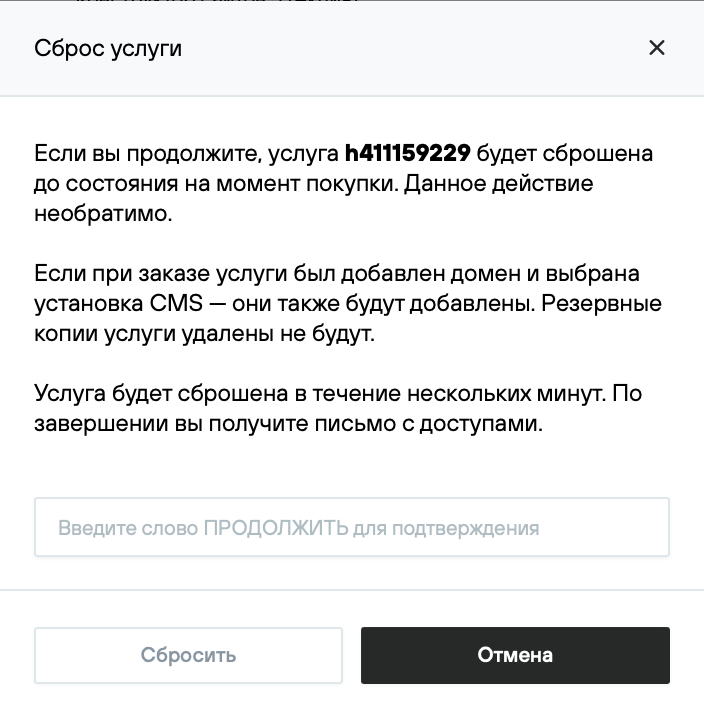
5. The service may be unavailable for 15 minutes. Once the service reset is complete, a notification with the details of the reset hosting service will be sent to the email address specified in your contract.