
How to import email
To import email to your VPS, follow these instructions: How to import email using ispmanager on your VPS
- Configuring hosting for email
- Importing email, setting up the mail fetcher
- Importing/Exporting email addresses
Configuring hosting for email
See Creating Email Accounts on a Domain
Importing email, setting up the mail fetcher
Go to https://www.mail.nic.ru/
Enter your email address and password, then click Log in.

On the mail reading page, click Settings.
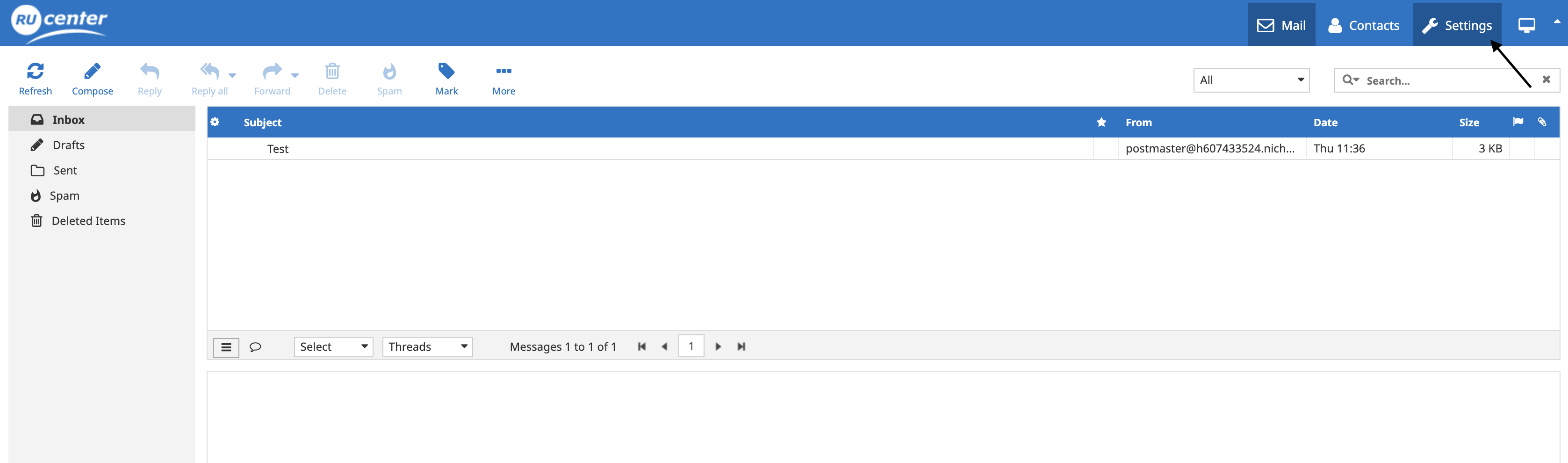
On the Settings page, go to the Mail Import section.

On this page, enter the server address (e.g., mail.nic.ru), your email address, and your password.
Click Save, and the mail fetcher will begin.
Please note that your email provider may restrict this functionality.
For example, Yandex 360 disables this feature by default. If you want to enable import from Yandex, log in to your email (mail.yandex.ru), then go to Settings (gear icon) → All Setting and select Email clients.


Importing/Exporting email addresses
1. Log in to the hosting control panel using your agreement number and password.
2. Go to the Mail section.
3. Click the email domain you created. On this page, click the Import/Export button.
- If you need to export mailboxes, click Export, select the file type, and click Export. A file with a list of mailboxes will be downloaded to your device.
- If you need to import, use the following format to create a list of mailboxes:
Mailbox_name Password Synonyms_of_mailbox_1 Synonyms_of_mailbox_2 etc.
alexandrov * a.alexandrov
ivanov * i.ivanov
medvedev * m.medvedev
mail * admin
4. After the import is complete, you can see all successfully imported mailboxes, their passwords, and a notification indicating which mailboxes were not imported.
