Notification Settings for Roles
Within Multi-access, there is a flexible notification system that can be configured separately for each role. This allows users to receive important alerts promptly via SMS and email.
Only the Main Administrator and Deputies can configure notifications — both for themselves and for secondary roles. Users with secondary roles can only view notification settings, without the ability to make changes.
Notifications related to domain monitoring events are available only to the Main Administrator and Deputies. For secondary roles, this type of alert is not supported.
Notification Settings for the Main Administrator and Deputies
The Main Administrator and Deputies can manage their own notifications in the section: Multi-access — My Role — Notifications.
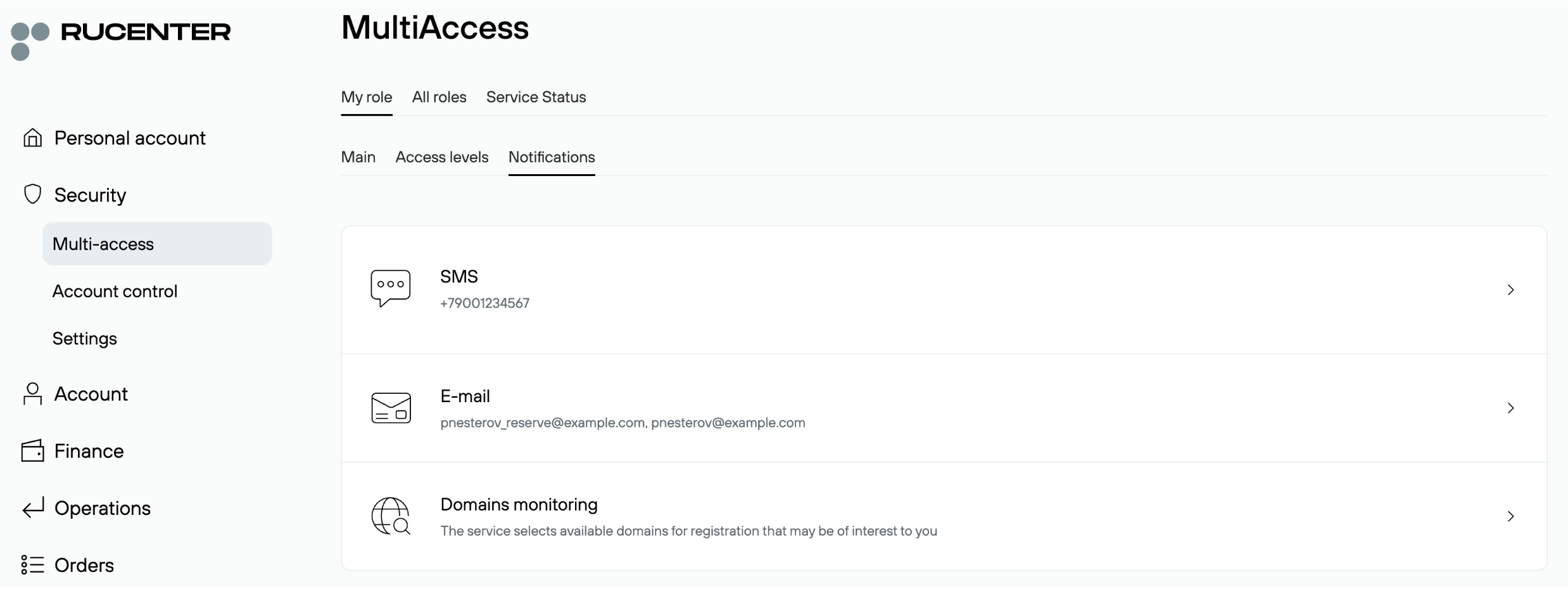
SMS
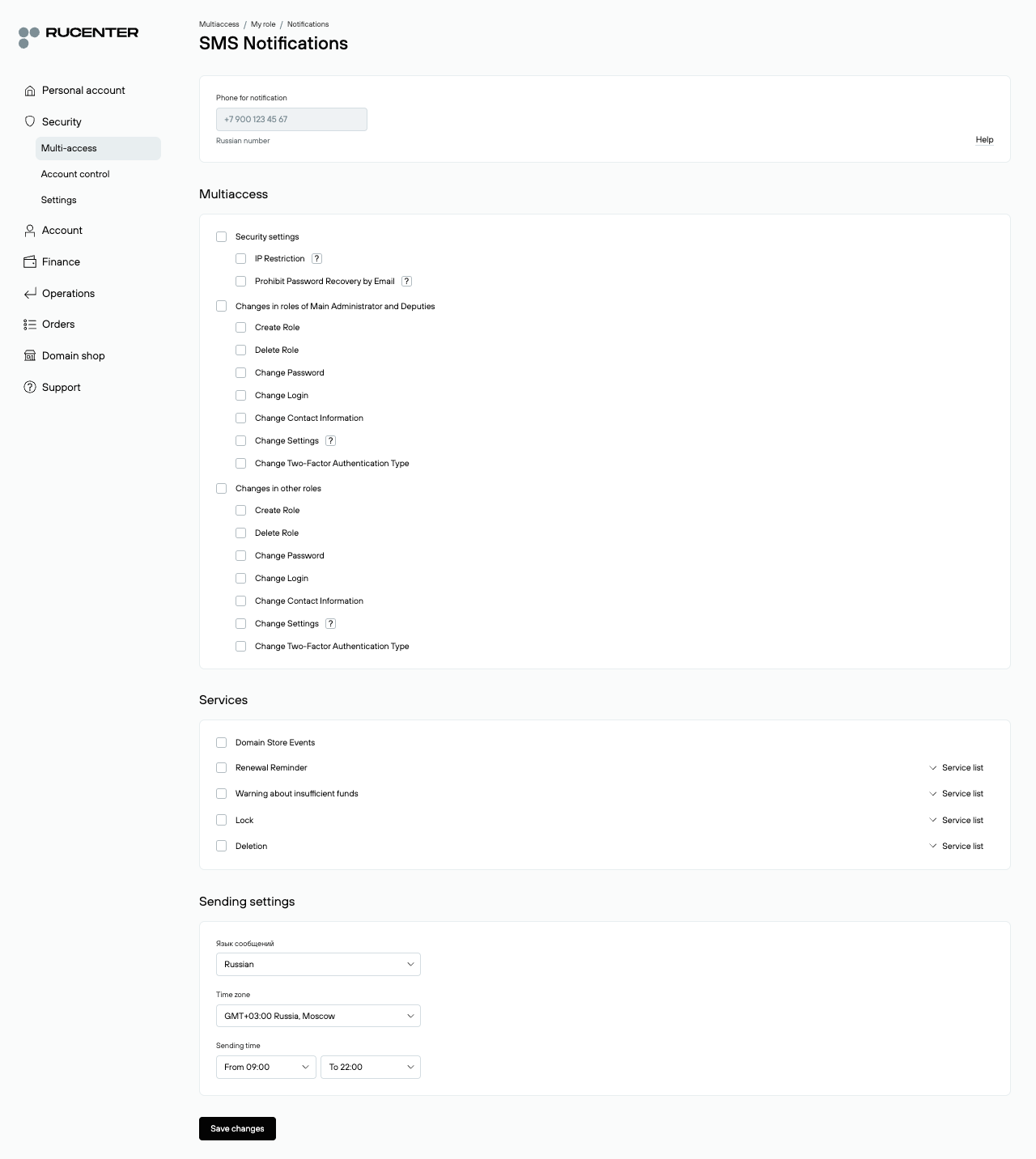
On this tab, you can enable SMS notifications for different types of events. All settings are managed with checkboxes. Notifications are sent to the phone number specified in the role’s contact information. The history of all sent SMS messages is stored in the SMS Archive section, where the Main Administrator and Deputies can also view notifications received by other roles for which they were configured.
Notification categories:
- Changes in Main Administrator and Deputy roles
Notifications about key role actions: creation, deletion, password or login changes, contact data updates, two-factor authentication changes, and other settings.
- Changes in other roles
The same notifications, but applied to all other roles in the system.
- Security settings
Events related to IP-based access restrictions and disabling password recovery via email.
- Services
Notifications about important service events: renewal reminders, low balance alerts, service suspension, or service deletion. By clicking "Service List", you can select which specific services will generate notifications. Notifications about domain marketplace actions are also available.
- Delivery settings
Define the notification language, time zone, and preferred delivery interval.
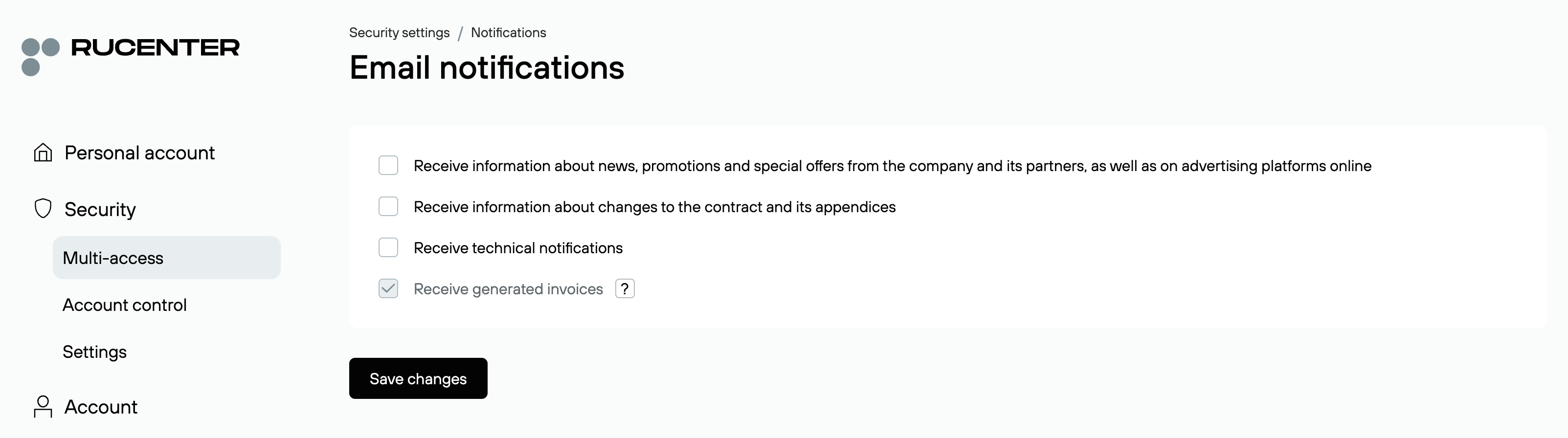
E-mail
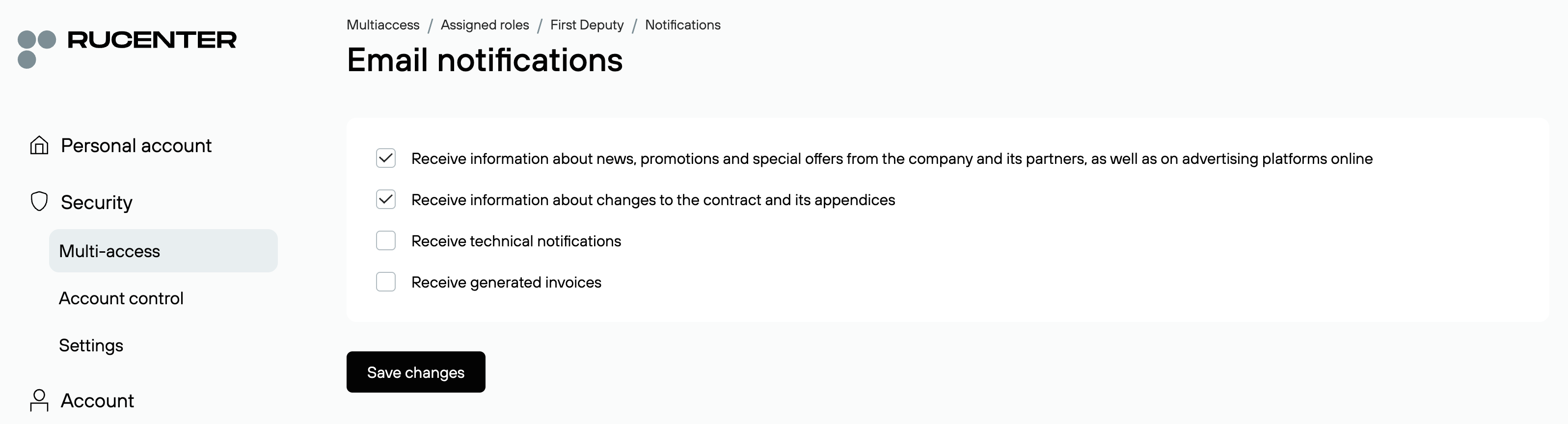
Select which notifications you would like to receive and save changes. Messages will be sent to the email address specified in the role’s contact information.
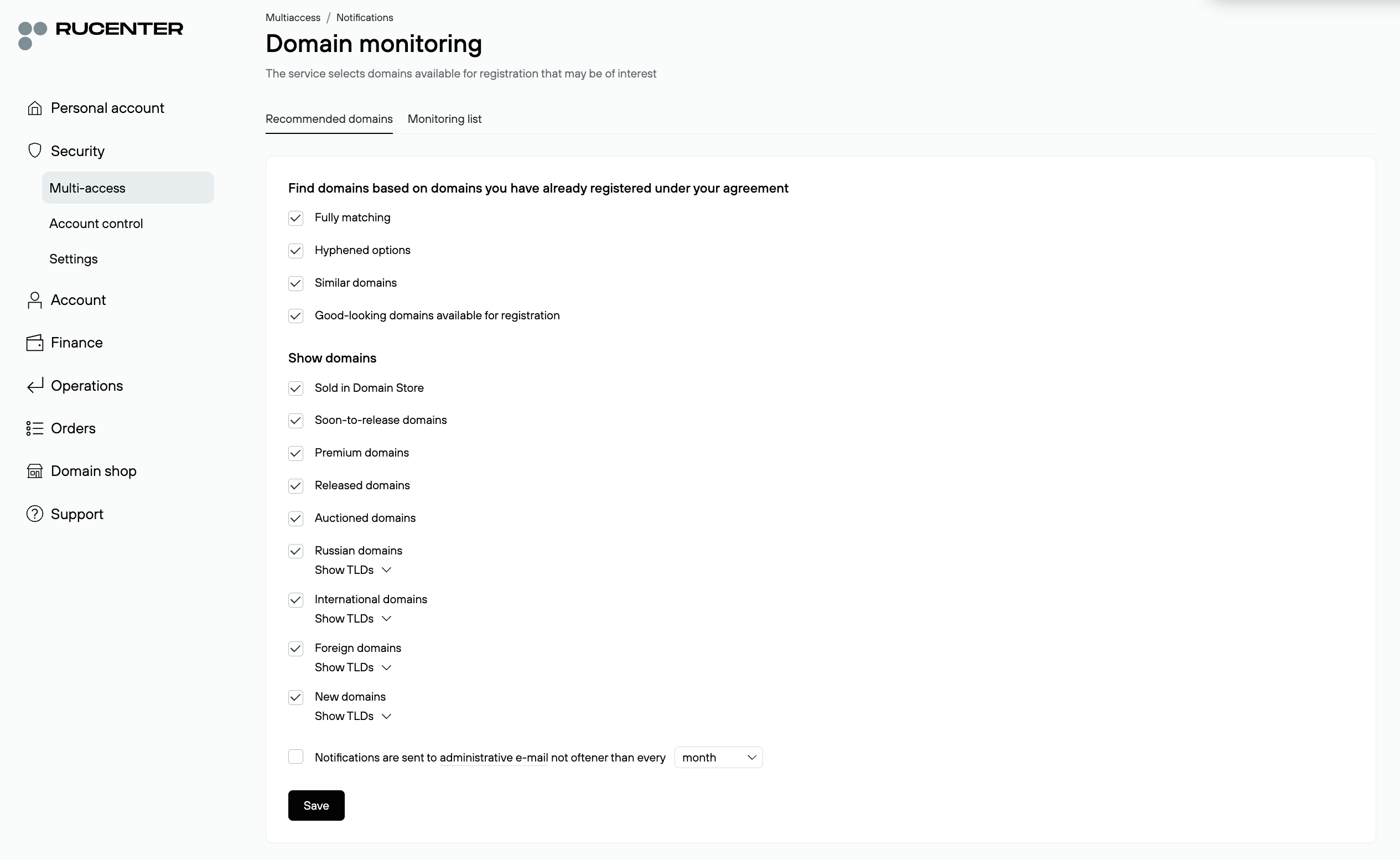
Domain Monitoring
Here you can configure monitoring of domains you are interested in: Select parameters under the "Recommended Domains" tab, or Specify domains manually under the "Monitoring List" tab.
Notification Settings for Secondary Roles
Secondary roles cannot configure or edit notifications on their own. All notification settings for such roles are managed by the Main Administrator or a Deputy — either during role creation or at any later time. It is not necessary to configure notifications immediately — the role will function even without them.
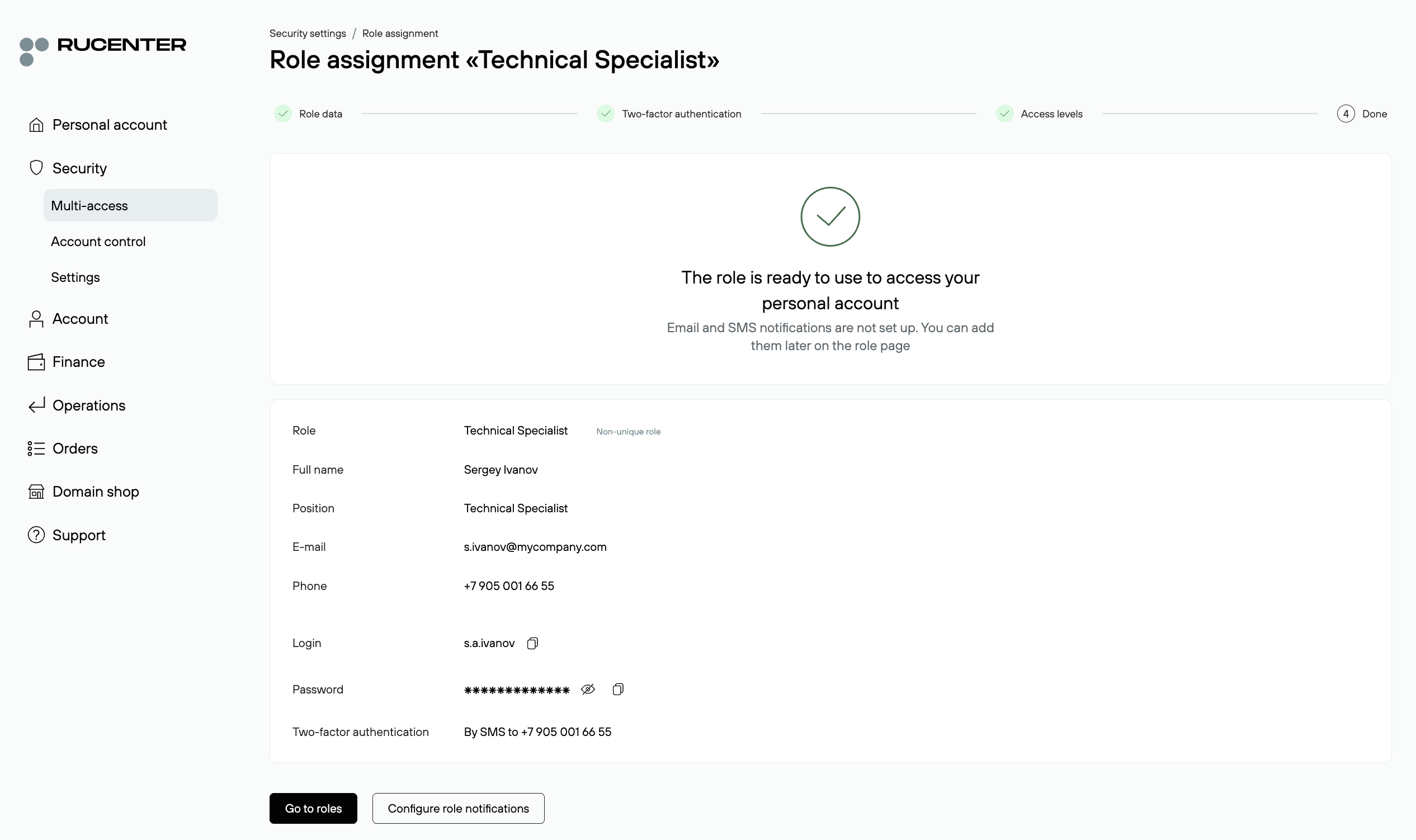
After assigning a role, you can proceed directly to the notification setup by clicking the "Configure Role Notifications" button on the final step.
To configure notifications for an existing role later, go to: Multi-access — All Roles — Assigned Roles. Select the desired role from the list and open the Notifications tab.
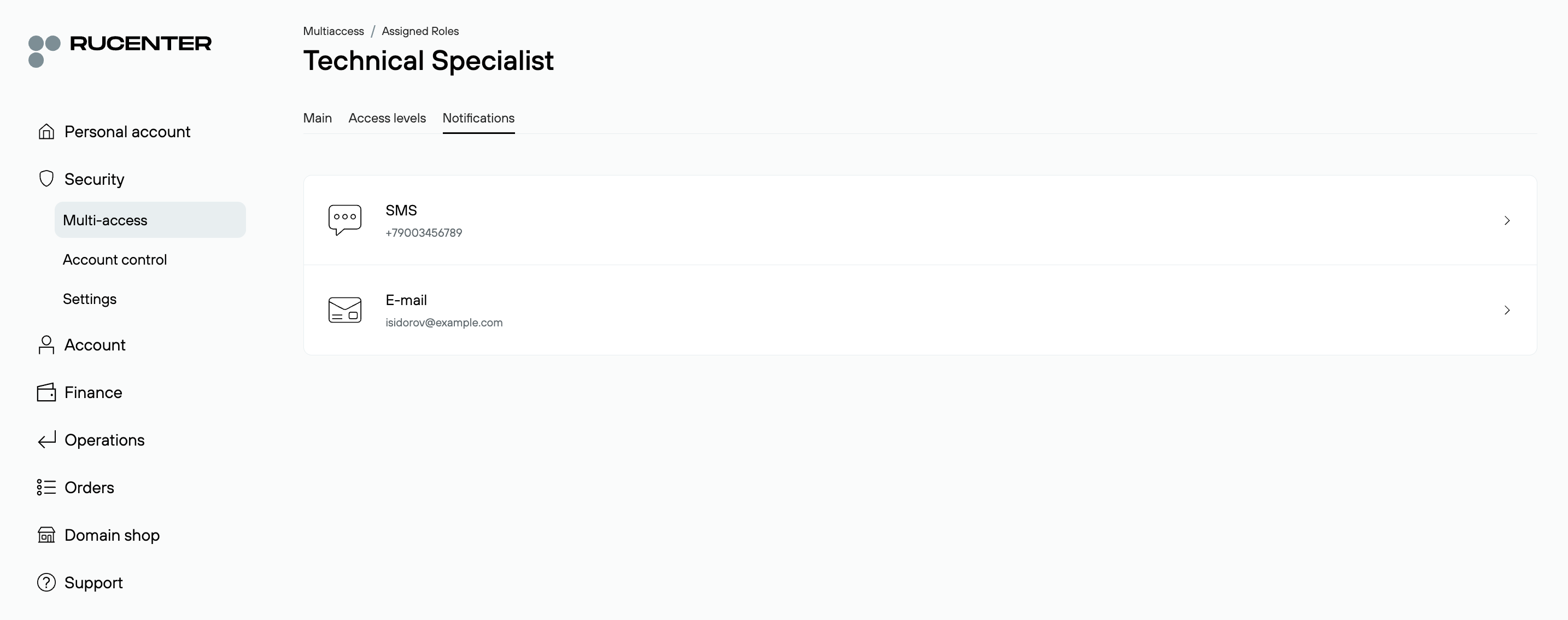
If a user with a secondary role opens this section, they will see the current notification settings in read-only mode, without the ability to make changes. To modify these settings, they must contact the Main Administrator or one of the Deputies.
SMS
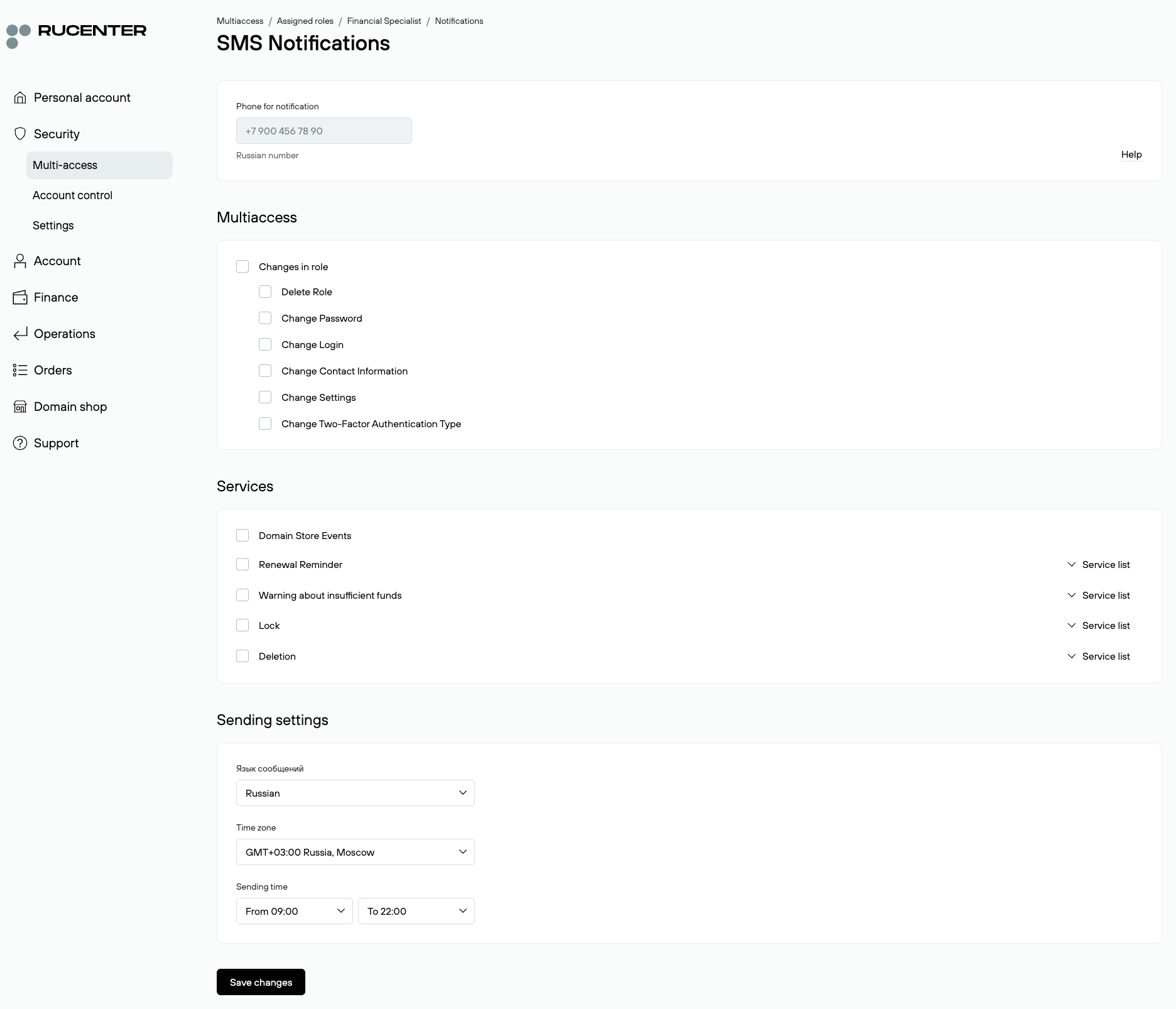
On this tab, the Main Administrator or a Deputy can enable SMS notifications for various types of events for a secondary role. All settings are managed with checkboxes. Notifications are sent to the phone number specified in the role’s contact information.
Notification categories:
- Role changes
Notifications about actions related to the current role: creation, deletion, password or login changes, updates to contact details, and modifications to the type of two-factor authentication.
- Services
Notifications about important service events: renewal reminders, low balance alerts, service suspension, or service deletion. By clicking “Service List,” you can select which specific services will generate notifications.
- Delivery settings
Define the notification language, time zone, and preferred delivery interval.
E-mail
Here, the Main Administrator or a Deputy can specify which email notifications will be sent to a secondary role user. If needed, you can select the option "Duplicate Main Administrator notifications". In this case, the role will receive the same service emails as the Main Administrator — including updates about service status and contract-related events, except for password recovery messages. All notifications are sent to the email address specified in the role’s contact details. Messages will be sent to the email address specified in the role’s contact information.