
Types and Properties of Roles
The Multi-access service allows you to delegate access to the Control Panel to other users with precisely configured permissions. Up to 100 roles can be created. Each role is configured individually: with access to specific sections, chosen permission levels, and notification preferences.
Primary and Secondary Roles
All roles in Multi-access are divided into two types:
- Primary — Main Administrator, First Deputy, Second Deputy, and Third Deputy
- Secondary — all other roles

Primary Roles
Primary roles differ from secondary ones by having full access to all Control Panel sections and unrestricted rights. The access and rights of primary roles cannot be edited or limited.
The Main Administrator and Deputies have the right to create and edit other roles, their settings, and their notifications. The number of Deputy roles cannot exceed three.
When Multi-access is enabled, the email address specified in the agreement contacts is automatically assigned to the Main Administrator role. If the Main Administrator’s email is changed in the agreement contacts, it is automatically updated in the role as well.
For Deputy roles, their contact details do not appear in the agreement contacts. Editing them does not affect the agreement contact information.
All roles created within Multi-access, including Deputies, can be deleted once they are no longer needed. However, Deputy roles can only be deleted by the Main Administrator. Deputies may delete only secondary roles. The Main Administrator role cannot be deleted.
Control panel sections available only to primary roles
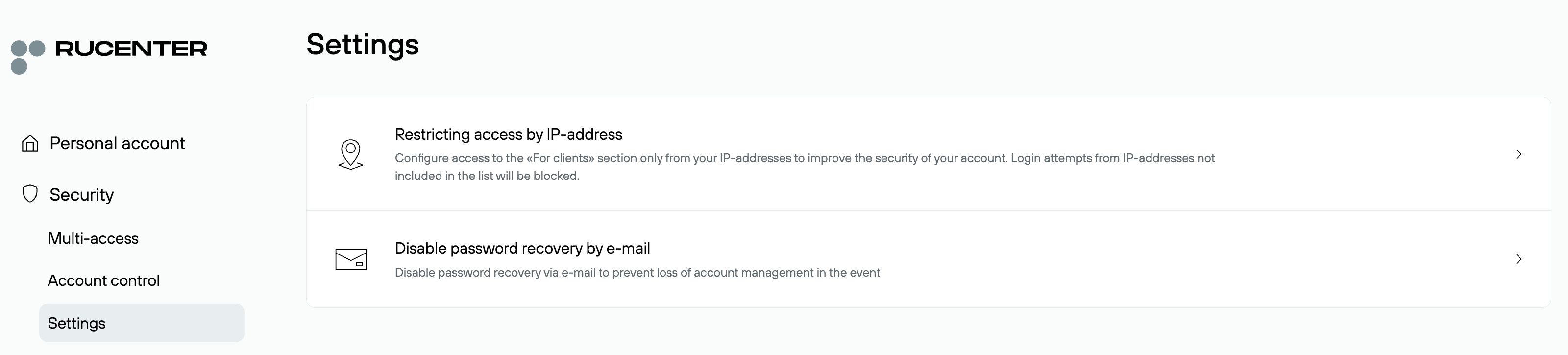
In the Control Panel, there are sections that cannot be accessed by secondary roles: Security — Settings and Domain Store
Security — Settings: Restrictions by IP address and the option to disable password recovery via email can only be configured by primary roles. Secondary roles cannot access these settings.
Domain Store: Listing domains for sale and managing transactions on the secondary market are also available only to primary roles.
Secondary Roles
Secondary roles include all other created roles. Their set of rights and access levels can never be equal to the full rights of primary roles.
Secondary roles cannot edit their own data, change their rights and access levels, or configure notifications. They also do not have the rights to create other roles or to access information about other roles.
Secondary roles do not have access to Security — Settings and Domain Store
Unique and Non-Unique Roles
When managing the Control Panel in Multi-access mode, especially with a large number of roles, it is useful to see which roles have a unique set of rights and which are duplicated.
When a role is created, its set of rights and permissions is unique by default. If a new role is added with the same rights and permissions as an existing one, both roles become non-unique and are marked accordingly in the roles list.
Comparison of Role Properties
|
Create/Edit Deputy roles |
Delete Deputy roles |
Create/Delete secondary roles |
Modify role settings and |
Receive notifications |
Create support requests |
Access to Security — Settings |
Access to Domain Store |
|
|---|---|---|---|---|---|---|---|---|
|
Main Administrator |
+ | + | + | + | + | + | + | + |
|
Deputies |
+ | – | + | + | + | + | + | + |
|
Secondary Roles |
– | – | – | – | + | + | – | – |